Vision Max Pro User Manual154
© 2015 Vision Engraving Systems
4.3.3 Example Job 9 - Engraving Rings and Bracelets
In this example job, a ring will be engraved on both the inside and the outside to illustrate the differences
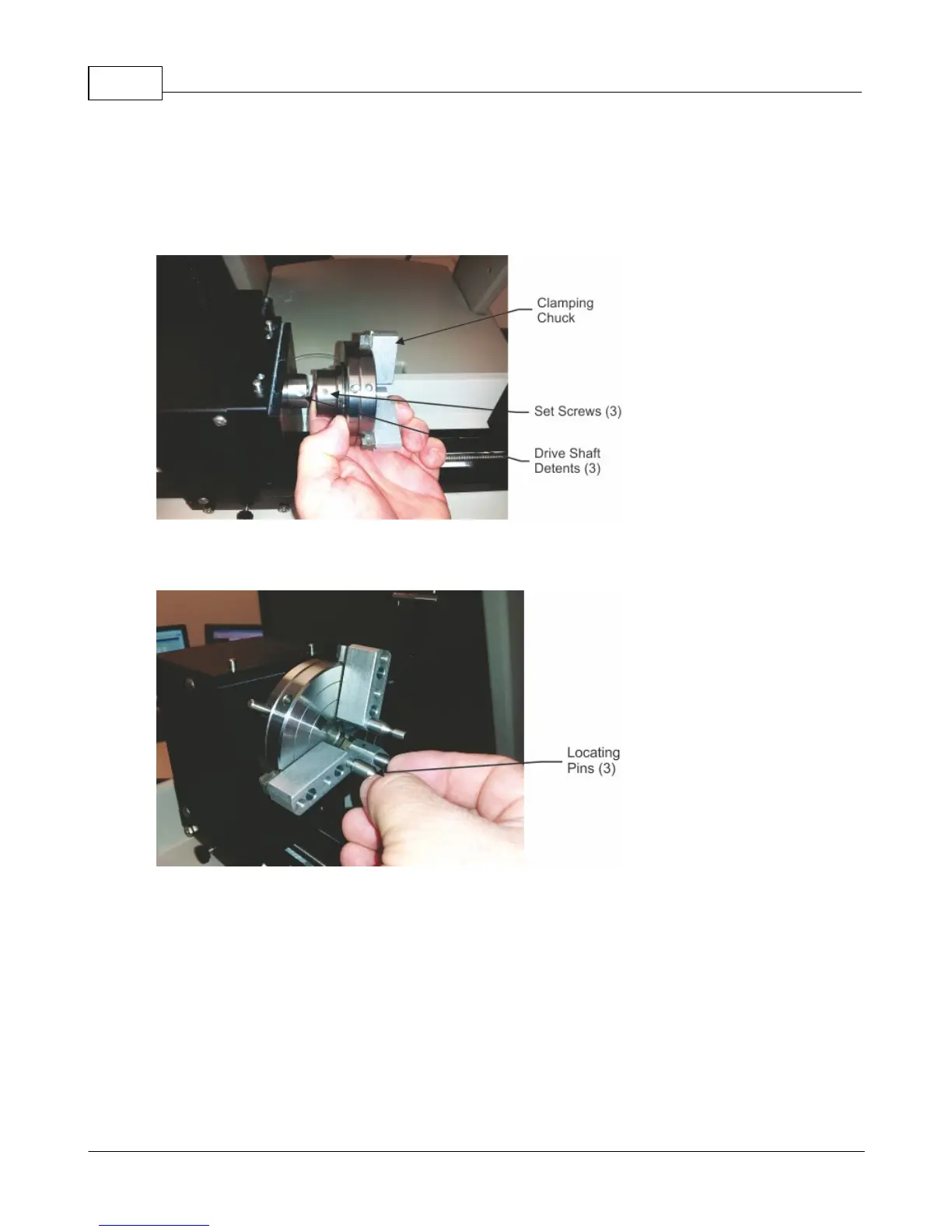
in how the machine is set up for each location. To begin, install the clamping chuck to the left (drive)
side of the rotary vise. Align the set screws with the detents in the drive shaft, slide the chuck on the
drive shaft, then tighten the 3 set screws.
There are several sizes of locating pins included with the machine. Use the pins that hold your item most
securely. Install the pins in the chuck in the locations that best fit your item's diameter.



 To Next Page