Example Jobs 131
© 2015 Vision Engraving Systems
4.2 Level 2 Job Examples - Using the Vise
The Adjustable Pen Fixture is used in this example job. If you do not have this fixture, please contact
technical support at Vision - 602-439-0700.
4.2.1 Example Job 6 - Engraving Pens
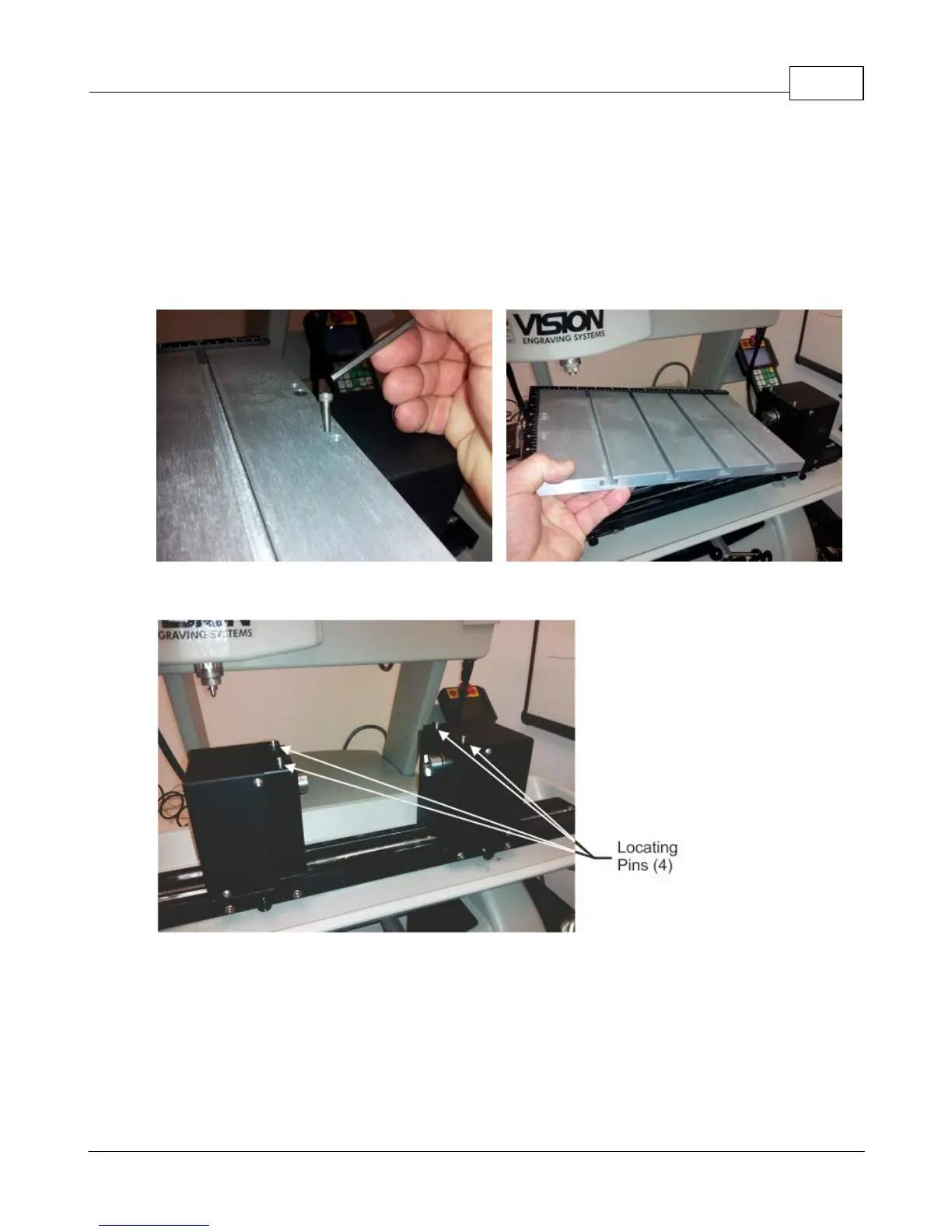
In this example job, a pen will be engraved using the adjustable pen fixture. Remove the T-slot table by
removing the 4 screws as shown and lifting the table off of the rotary vise.
Make sure the locating pins are installed into the holes on top of the rotary vise as shown below.



 To Next Page