Vision Max Pro User Manual26
© 2015 Vision Engraving Systems
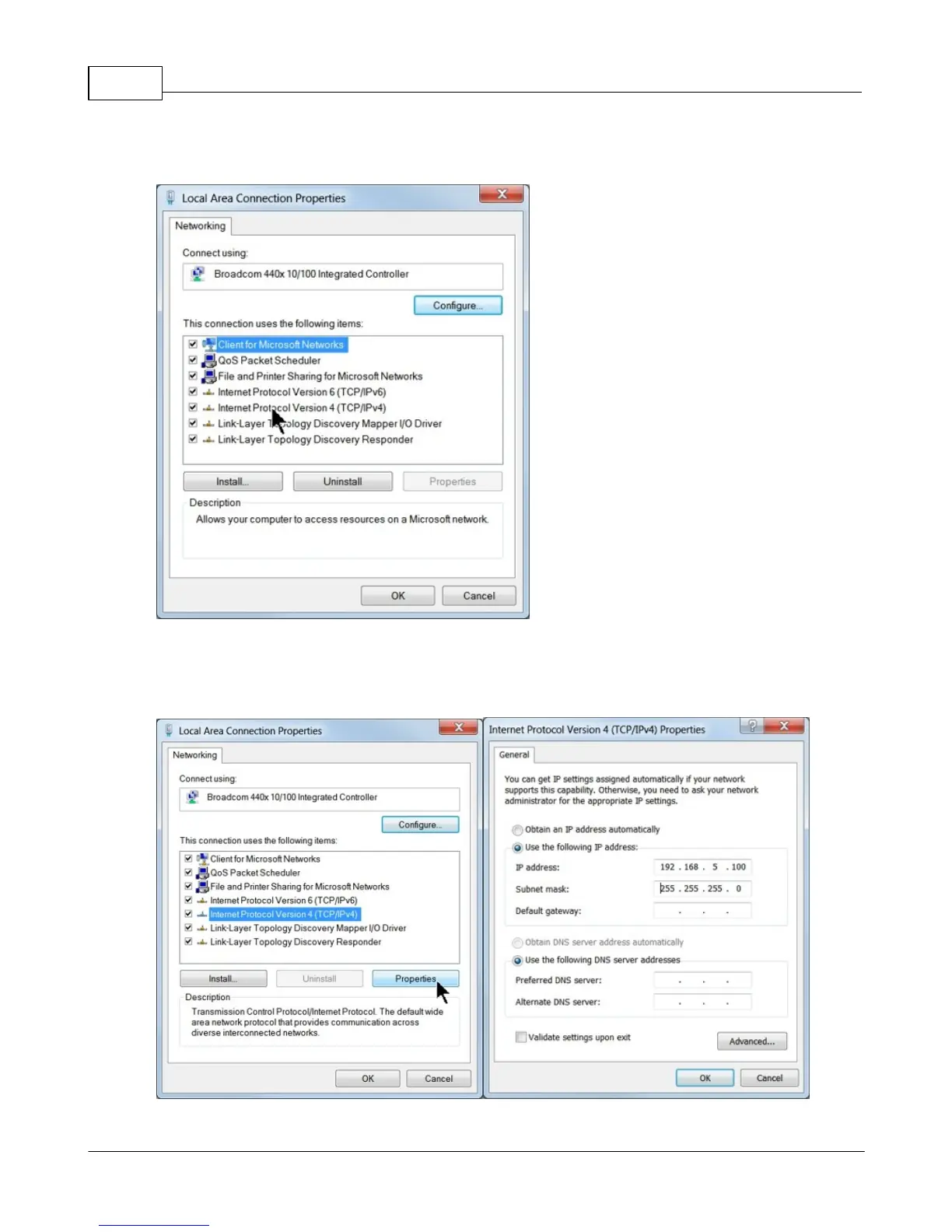
Then, select Internet Protocol Version 4 (TCP/IPv4).
Then select Properties. Select Use the following IP address: and enter 192.168.5.100 and set the
Subnet mask to 255.255.255.0 as shown. Then select OK and close any other network configuration
windows.



 To Next Page