14
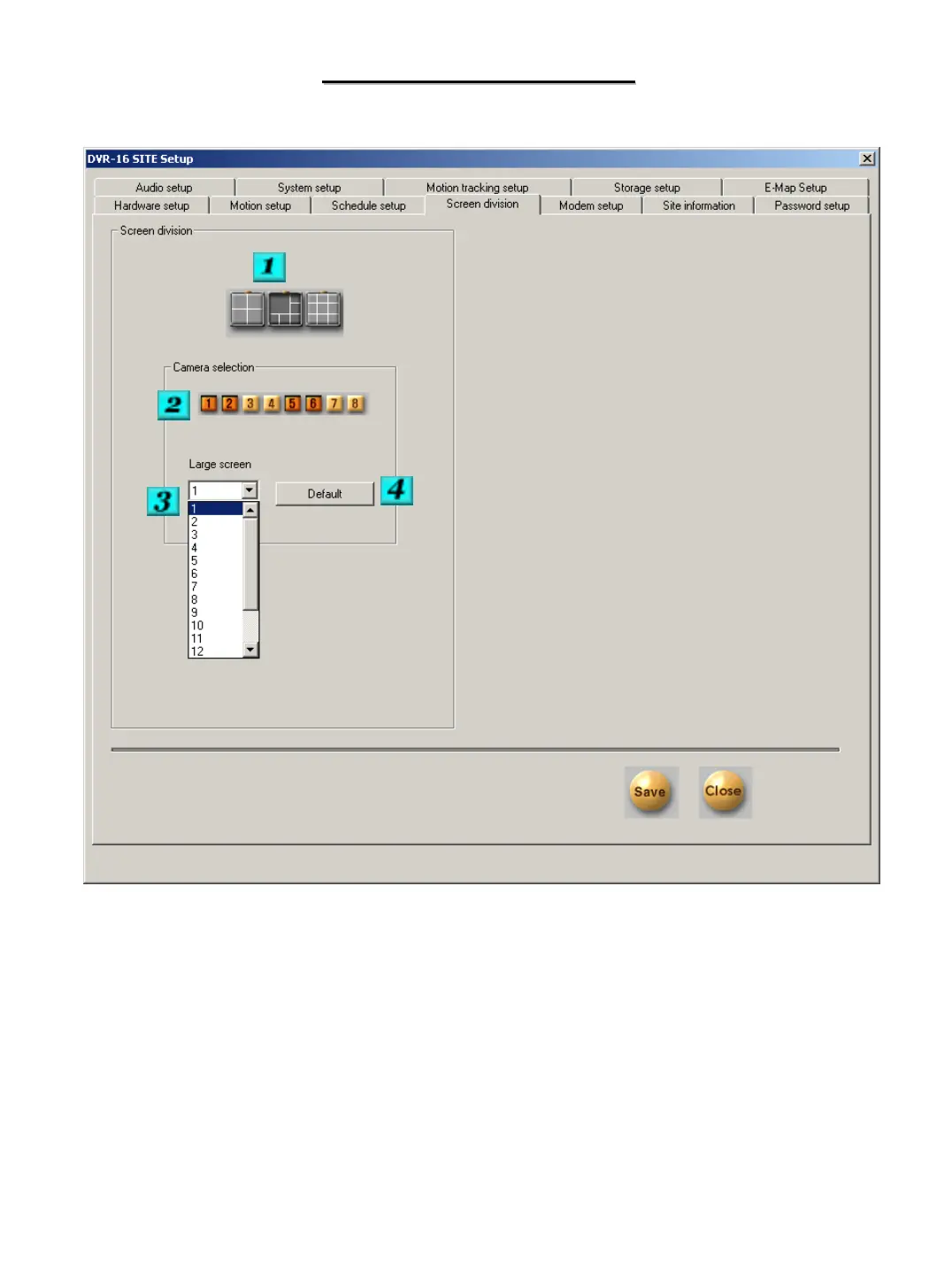
SCREEN DIVISION
SCREEN DIVISION
# 1 – Division Selection – Click on the division that you would like to modify.
# 2 –Camera Selection – Select the cameras that you would like to be displayed in the selected division.
# 3 – Large Screen – If the division you are modifying has larger screen sections, you can enter the camera
numbers that you would like in the large screen boxes.
# 4 – Default – Restores the factory defaults for this section.


 To Next Page