26
DVR OPERATION
DVR OPERATION
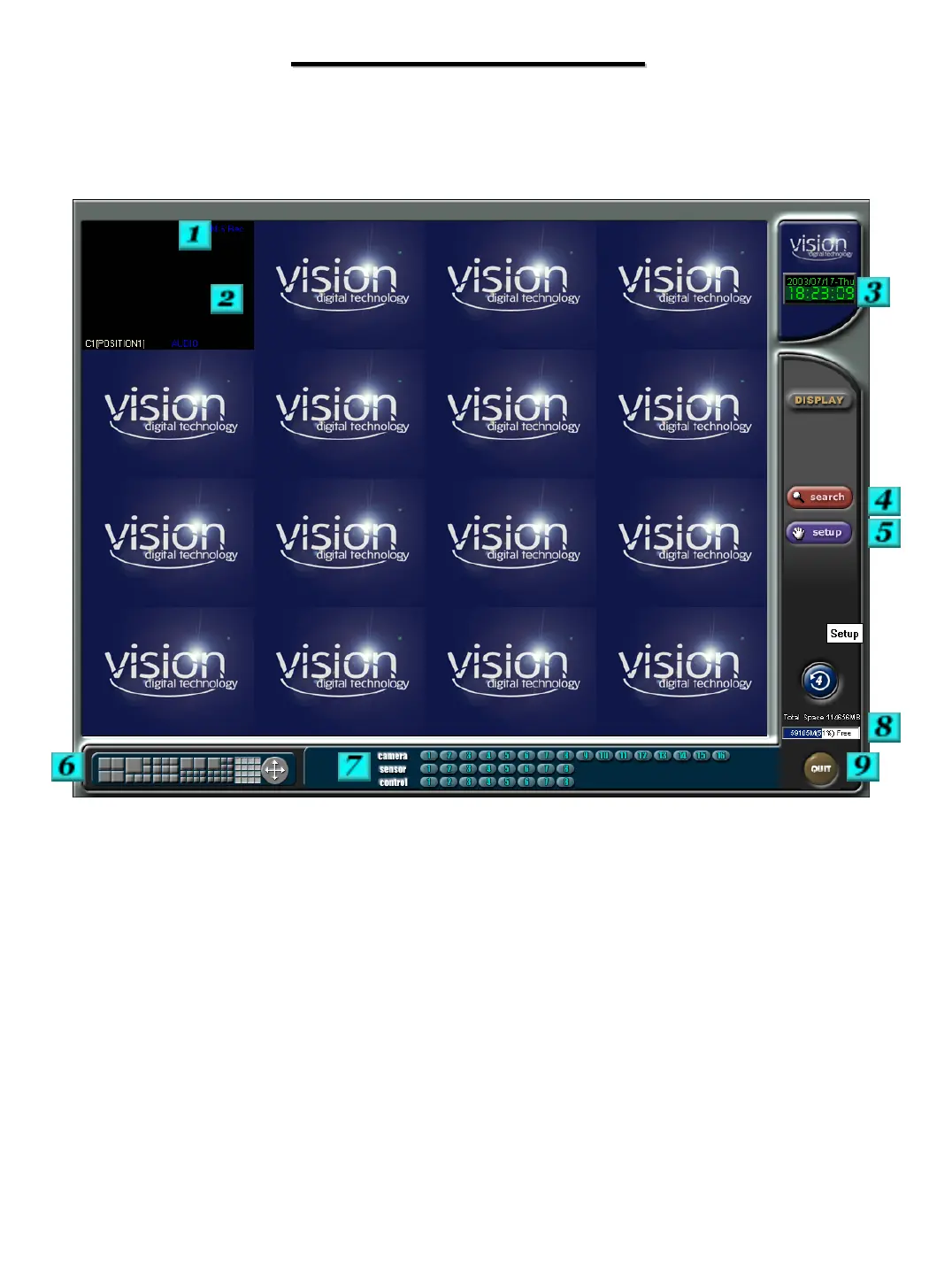
The following sections refer to the below screen shot,
please refer back to this screenshot as necessary.
REC
C1 (POSITION)
Audio
# 1 – Shows the current recording status of the channel.
REC – Continuous M REC –Motion
M:S REC – Motion and Sensor S REC -Sensor
No Mark – Recording is turned off
# 2 – Displays if the available audio recording is being recorded along with the selected
camera.
# 3 – Current date and time display
# 4 – Enters search section for video playback and archiving.
# 5 – Enters the system setup section


 To Next Page