40
DATA BACKUP TO CD
DATA BACKUP TO CD
-
-
RW USING
RW USING
ADAPTEC DIRECT CD
ADAPTEC DIRECT CD
In order to use Adaptec Direct CD to store backup DATA, you must first format a blank CD-R or CD-
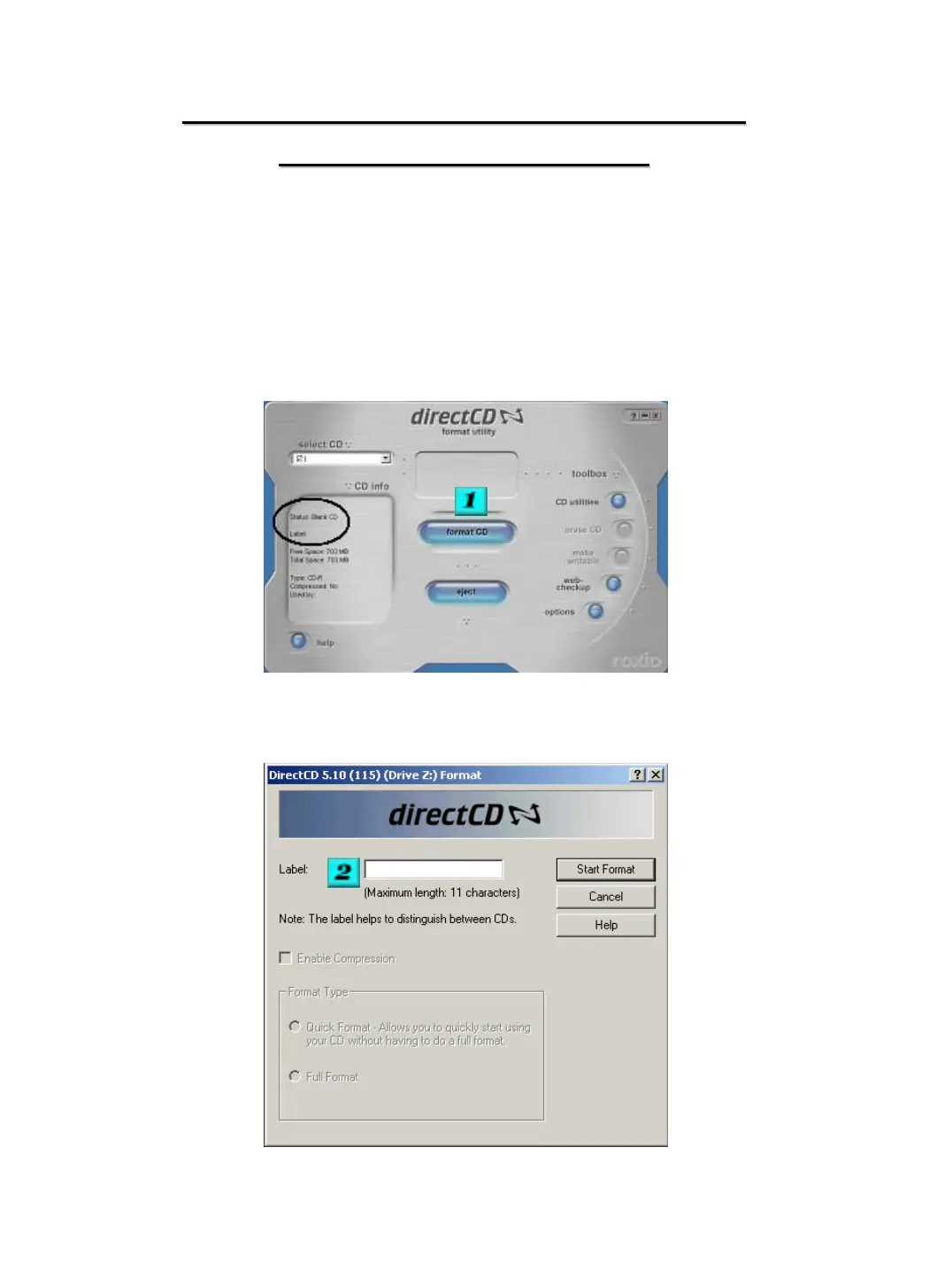
RW. After clicking on the format CD/R / CR-RW button from the backup section, the below screen
should appear. If it does not you may have to press ALT and Tab to cycle to the Direct CD Utility.
Once the below screen shot appears insert a blank CD into the drive, you must allow for a few
seconds for the system to recognize the disk. Once the status shows “Blank CD” you can proceed.
#1 - Click on Format CD
#2 - Enter a name for the CD and click Start Format


 To Next Page