22
# 5 – Easy Update – Clicking here will allow you to update your system to a new software version provided by
your dealer. Your dealer will provide more information if a software version update needs to be performed.
# 6 – Backup Settings – Clicking here will enter the backup section.
#7 – Video Loss Alarm
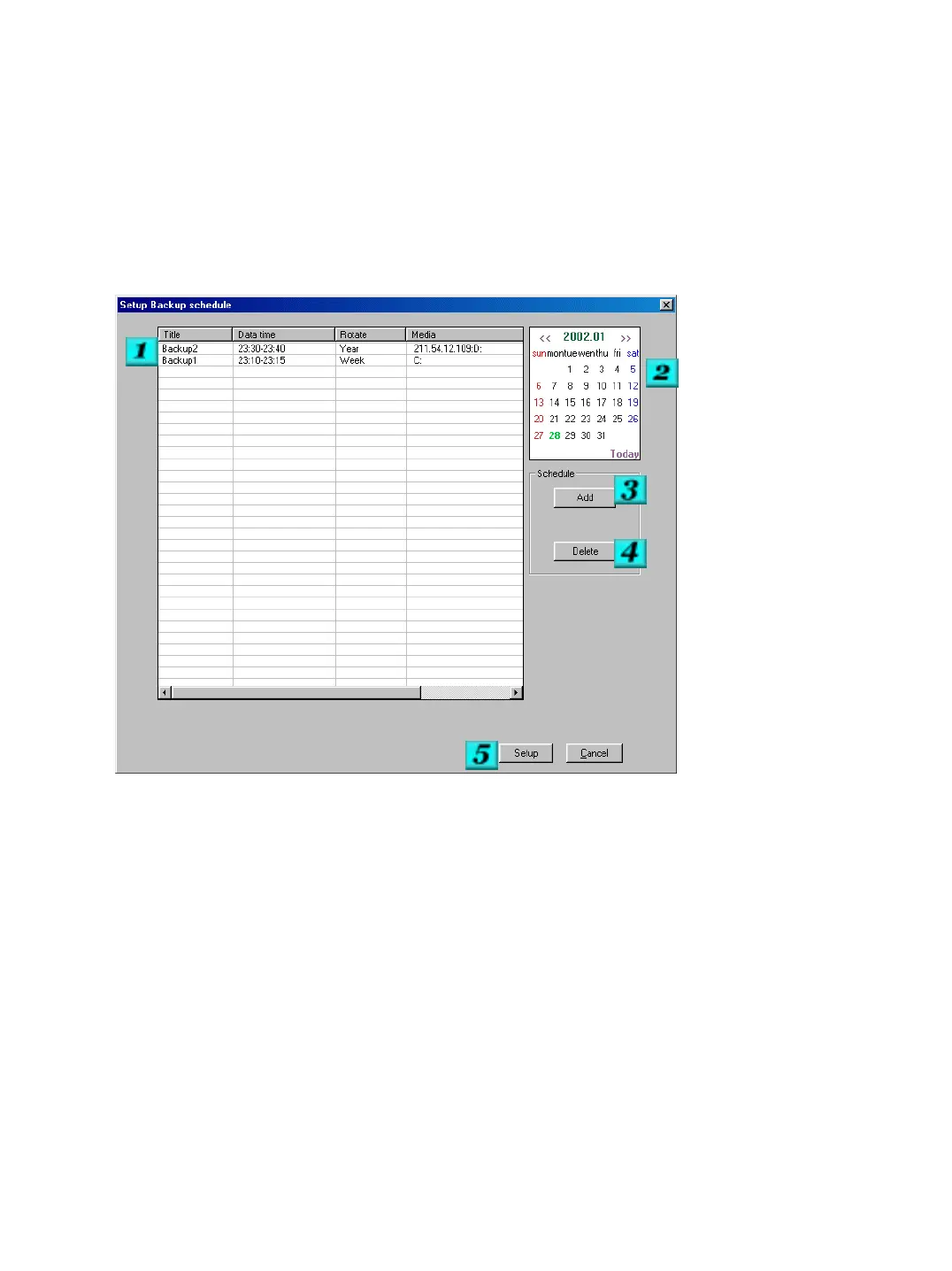
Backup Settings
# 1 – Schedule - This section shows all of the scheduled backups that have been assigned for the system to
perform.
# 2 – Calendar -The calendar is used to select the dates that you wish to add a backup session for.
# 3 – Add -Click here to add a backup session to the system. You can then select the criteria for the backup.
See the Add Backup Schedule for more information.
# 4 – Delete -Click here to delete a selected backup session.
# 5 – Setup - Click here to accept the changes that you have made .


 To Next Page