30
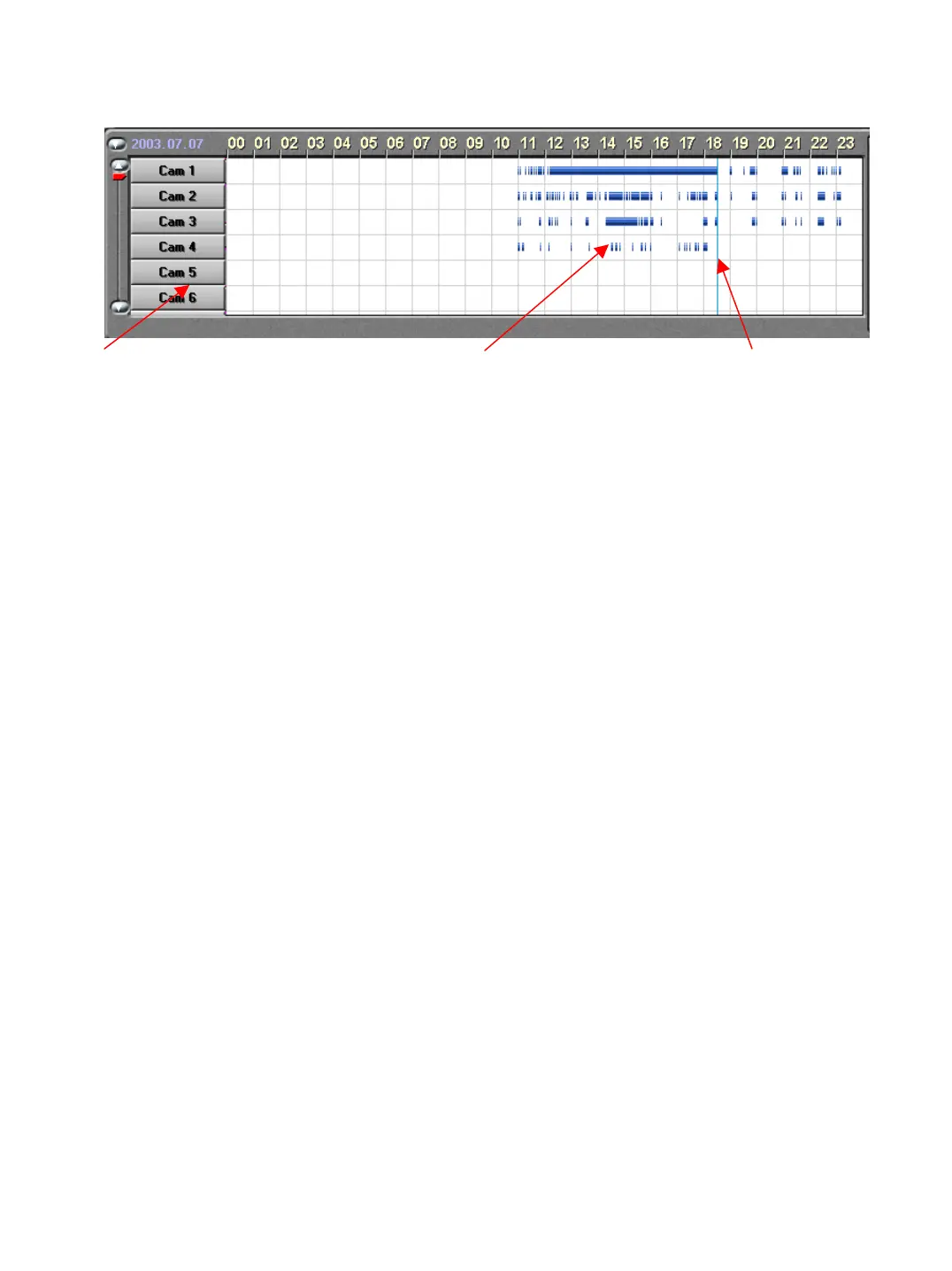
Intelli-Search Bar
Camera selection bar Recording status graph Search time selection bar
This function shows the recording mode and when there was recording.
The colors on the graph depict the status of the recording.
Purple – Continuous : Blue – Motion : Green – Pre Alarm
If there is not a colored bar present there was no recording during that period.
You can also click on the hour bar above the graph to see the time breakdown more
precisely. Continuing to click on the hours will return the graph to normal.


 To Next Page