32
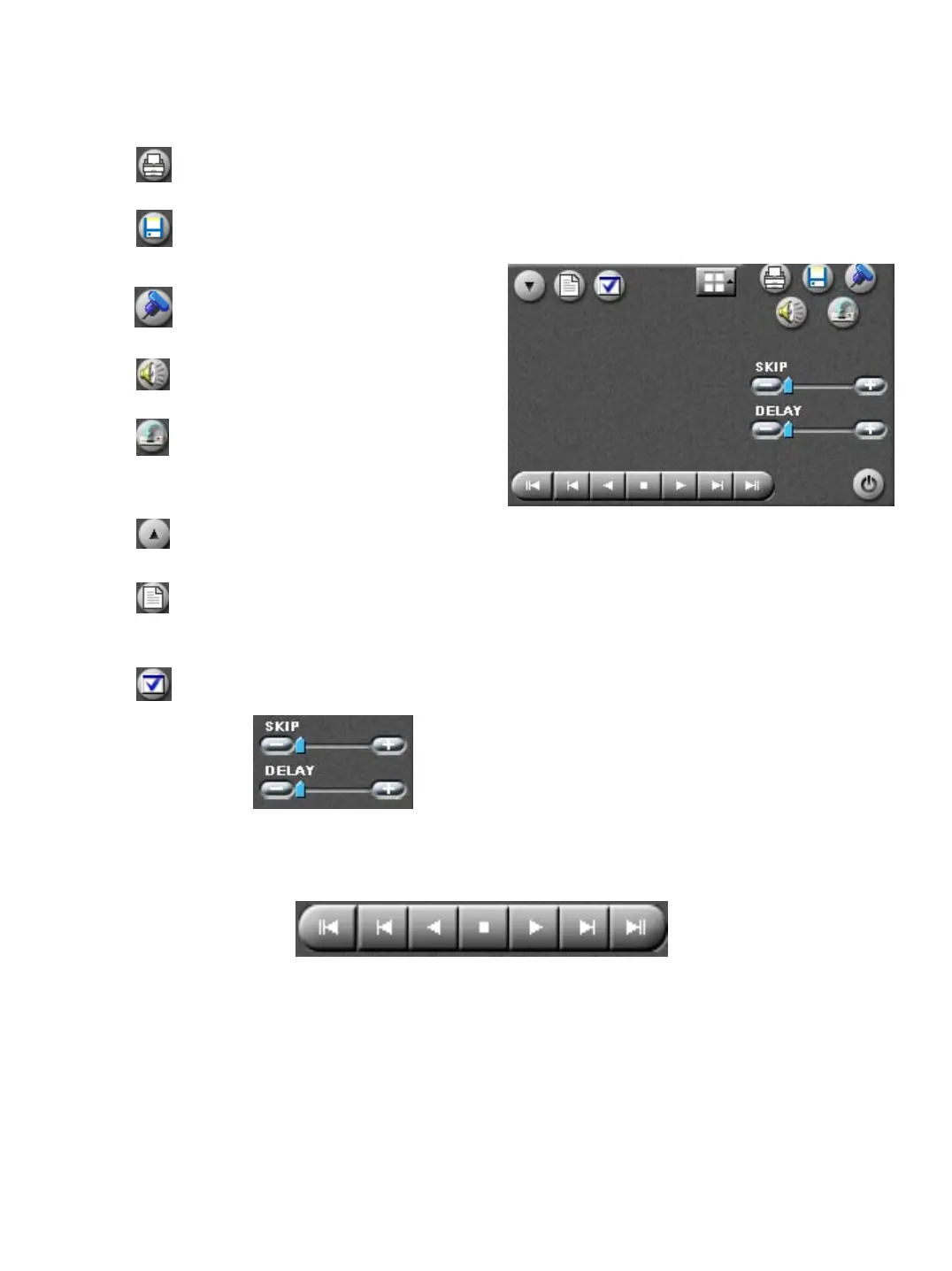
Opens the print dialog to allow you to
print the selected image
Opens The Data Backup
Section
Opens The Bookmark Section
Opens The Audio Playback Section
Turns On/Off Recording While In Search
Mode (Searching Performance Is
Improved If Turned Off)
Select all cameras
Index Search
Index Search Panel
•Skip – adjusting this allows the
System to skip frames during playback
•Delay – adjusting this slows down or
Speeds up playback
1 2 3 4 5 6 7
1. Go to beginning of the recording 4. Stop
for the day 5. Play forward
2. Go back 1 frame 6. Go forward 1 frame
3. Play in reverse recording 7. Go to the end of the
for the day


 To Next Page