56
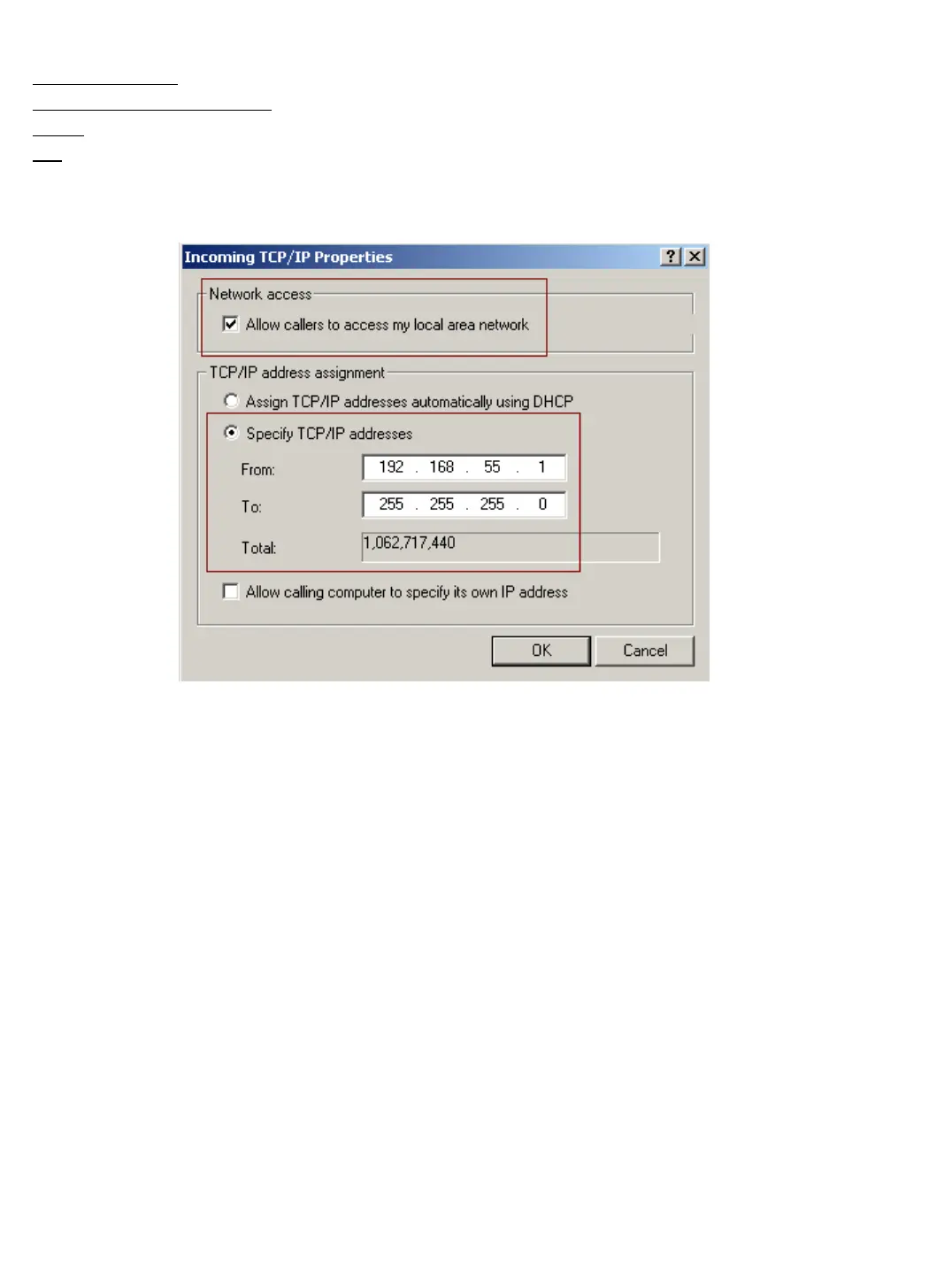
- Change settings as below and click [OK],
Network Access: “Allow callers access my local area network”
TCP/IP address assignment:
“Specify TCP/IP addresses”
From: 192.168.55.1
To:
255.255.255.0
Click on “OK” to complete the setup process. Your DVR should now allow both
incoming and outgoing connections to be made over your modem or ISDN adapter.
Refer to the Center Software Manual for information on making a connection to or from a
remote site.


 To Next Page