33
FAQ
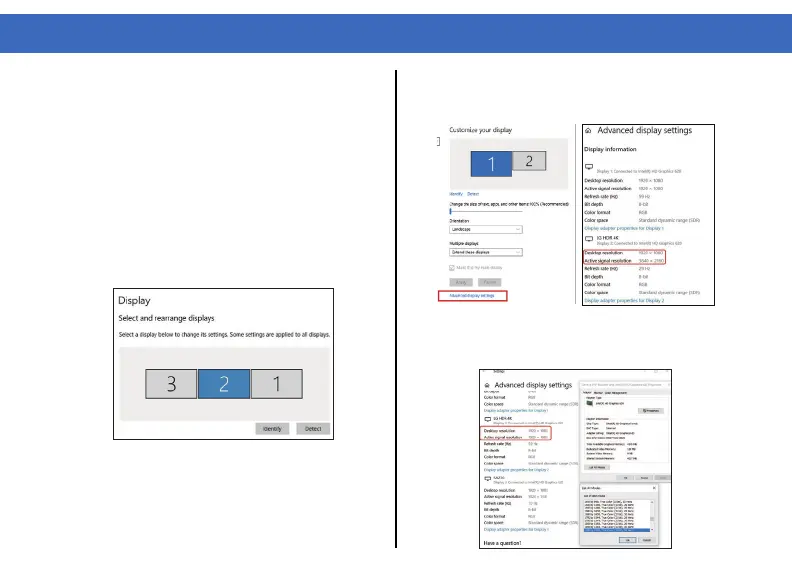
Q2. Why are my 2K and 4K monitors displaying
abnormally when I enable dual or triple display
mode?
A2. The resolution of some monitors may not ad-
just automatically and the “Active signal resolution”
from the Windows setting “Display resolution” may
not match. Make sure to set the resolution to the
same value for best results.
1. Right-click on the Desktop and select
“Display Settings”.
2. Select your monitor from the “Display”
section and click on it. Scroll down and select
“Advanced display settings”.
3. Make sure that the resolution values for each
monitor on “Desktop resolution” and “Active
signal resolution” match.
4. Click on “Display adapter properties for
Display 2” and lower the resolution to the right
value if the two values are different.



 To Next Page