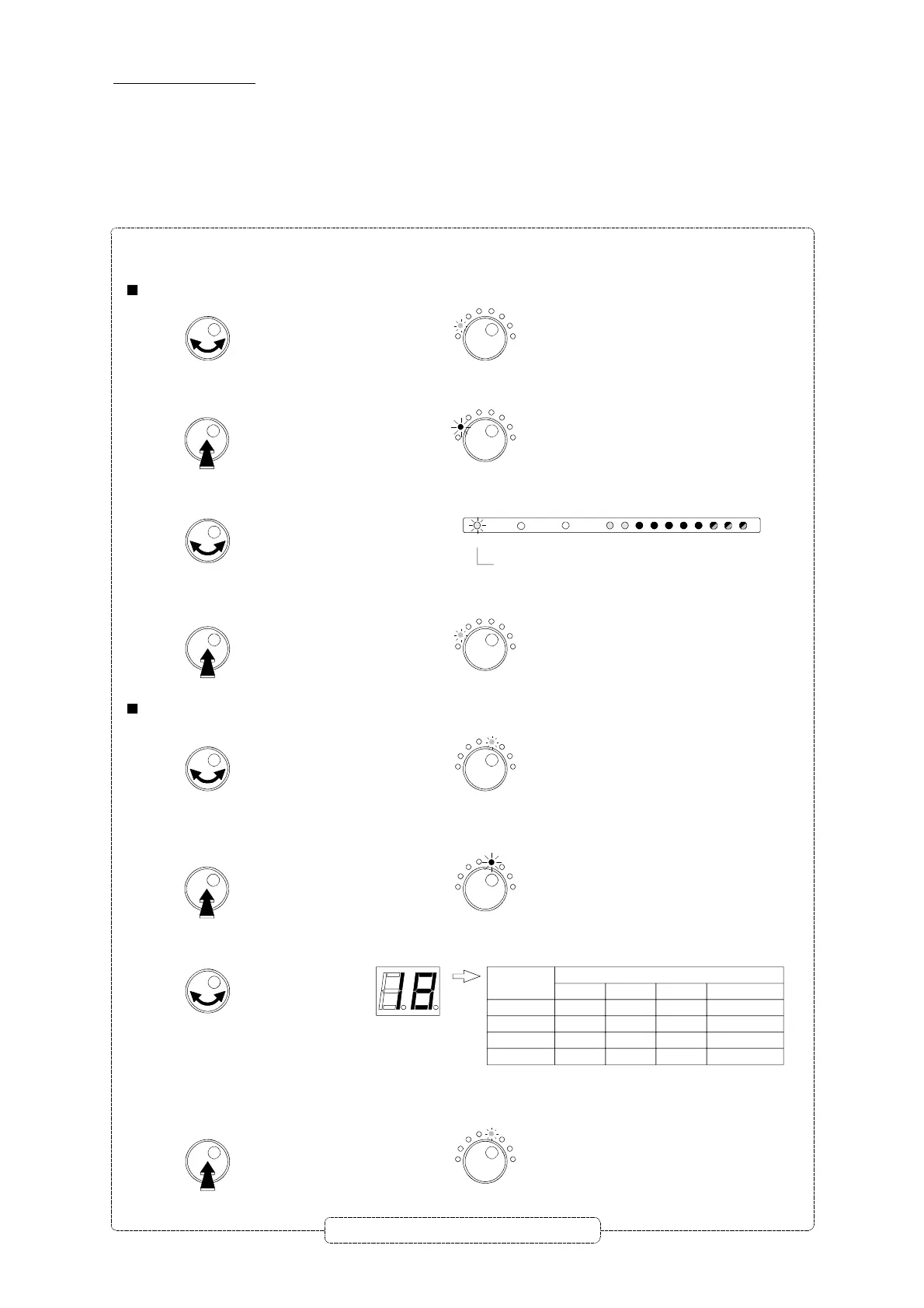
Manually level setting
- Turn the button to choose the
Select Filter
mode.
- Push the rotary button to enter the selected mode.
The LED is now RED colored.
Select Filter
The LED is green.
- Turn the button to select BI-II.
1
2
3
4
5
6
7
8
9
10
UHF Clusters
I-II
III
VHF-UHF
LED is activated
- Push the button to confirm.
The LED is green.
- Turn the button to select the
Manual Level
mode.
- Push the rotary button to enter the selected mode.
The LED is now RED colored.
Manual Level
The LED is green.
Manual Level
- Turn the button to set manually the level, variable from 20 dB to 0 dB (30 dB to 0 dB for clusters).
- Push the button to confirm.
The LED is green.
Manual Level
Repeat this section to set all levels
To set manually the level.
- Select the desired input or cluster.
Select Filter
Select Filter
Example : setting the level of BI-II.
30
Displayed
value
30
20
10
0
BI-FM
-
35 dB
25 dB
15 dB
BIII
-
40 dB
30 dB
20 dB
V-U
-
40 dB
30 dB
20 dB
UHF1/2/3**
55 dB
45 dB
35 dB
25 dB
Gain*
* Gain value with general attenuator set at 10 dB (see p. 29).
** 20 dB input amplifier ON (see p. 31)


 To Next Page