2. Using line out
This keyboard has a built-in speaker system, but it can also be connected to an external
amplifier/Hi-Fi equipment or active speaker.
Insert one end of cables (jack connector) In LINE OUT on the back a keyboard and the
other end of the cable in the amplifier's LINE IN / Aux IN connector (usually 2 x phono
connectors which are red and white), or In the input on an active speaker (usually Xlr/jack
or phono)
Caution: To prevent damage to amplifier/Hi-Fi equipment or active speaker, turn volume
on the keyboard completely down before connecting. You can increase the volume
gradually until you are satisfied with the volume when playing on the keyboard.
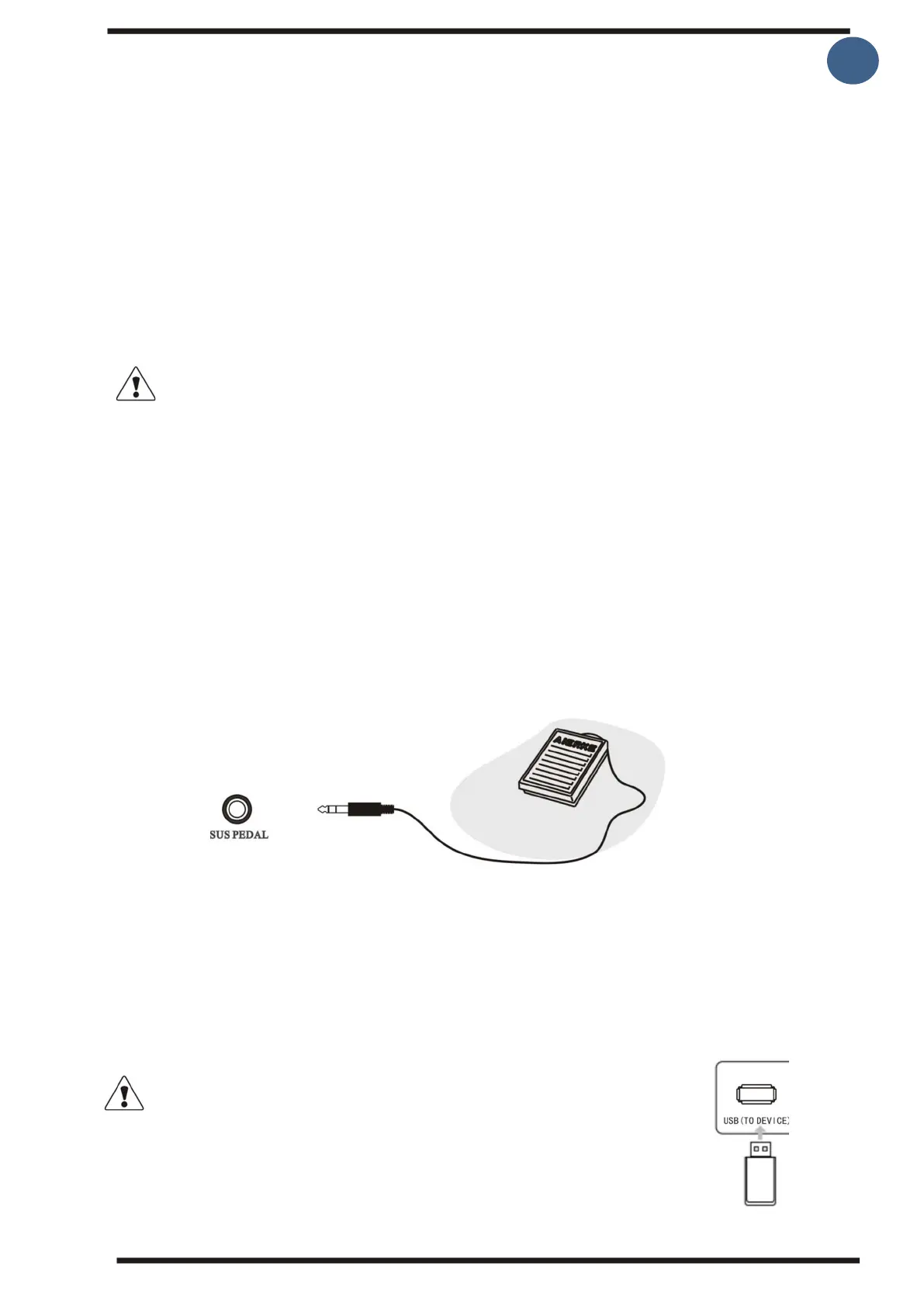
3. Using sustain pedal.
Connect a sustain pedal (extra equipment) to the keyboard while the keyboard is turned
off.
By stepping on the sustain pedal, you can extend the sound of the sound while the pedal
has been stepped down.
4. Connecting USB connectors with Mp3 audio files:
This keyboard supports connecting an up to 32G USB key. You can play MP3 files via the
USB to DEVICE.
Caution: Do not unplug the USB plug during the playback process, otherwise
it will cause errors and/or the USB connector may be damaged.



 To Next Page