11
Your camcorder has four different video modes for recording
video, four photo modes for taking photos, and playback mode to
review photos and videos you have taken.
Selecting a Mode
Press the MODE button on top of your camcorder to enter the
mode select menu. Slide the Zoom left and right to make a
selection, and press the PHOTO button on top of your camcorder
to make a selection.
Video Modes
Photo Modes
Switching Modes
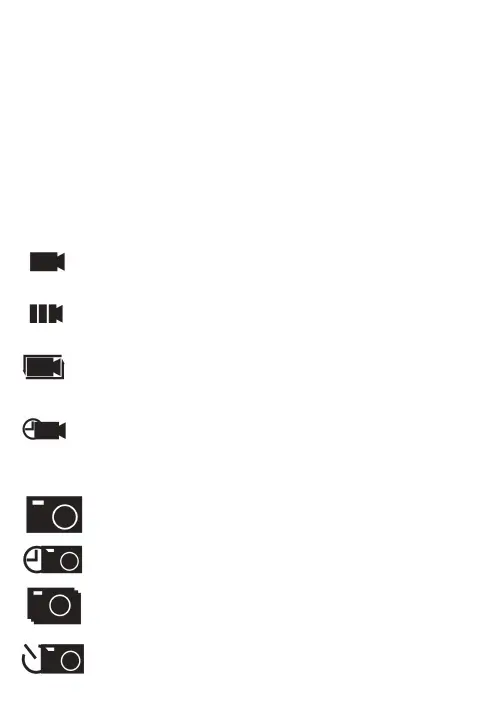
Normal Record: Select to record videos
Slowly Record: Records videos at slower speeds
Loop Record: Repeatedly records smaller timed video segments
Time Lapse Record: Records at low frame rate, to showcase the
passing of time
Normal Picture: Select to take a photo
Auto Picture: Takes a picture after a set amount of time
Continue Picture: Takes a burst of multiple photos at once
Time Picture: Takes a photo after a time countdown


 To Next Page