12
After powering on your camcorder, press the MODE button on
top of your camcorder to enter the mode select menu. Slide the
Zoom left and right to make a selection, and press the PHOTO
button on top of your camcorder to select one of the four video
modes.
Recording a Video
To record a video, press the VIDEO button on your camcorder to
start recording a video. Press the VIDEO button again to end
your video recording.
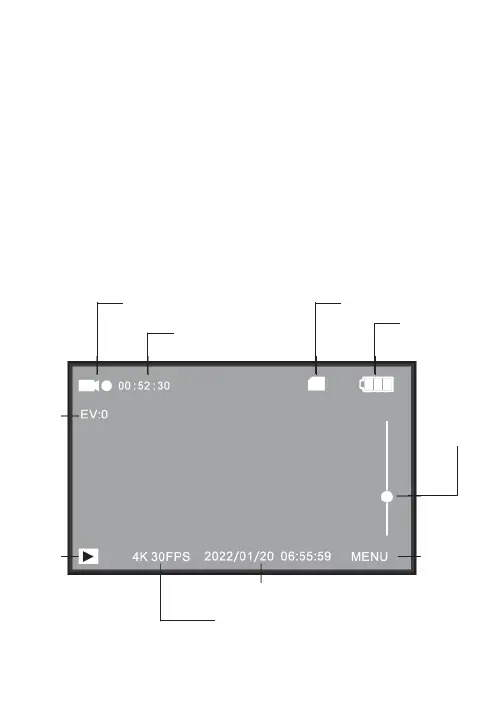
Video Recording Display Screen
Video Mode/Recording Videos
battery level
zoom indicator
settings
menu
playback
mode
exposure
indicator
recording resolution
date and time
memory card indicator
video mode indicator
available recording time


 To Next Page