17
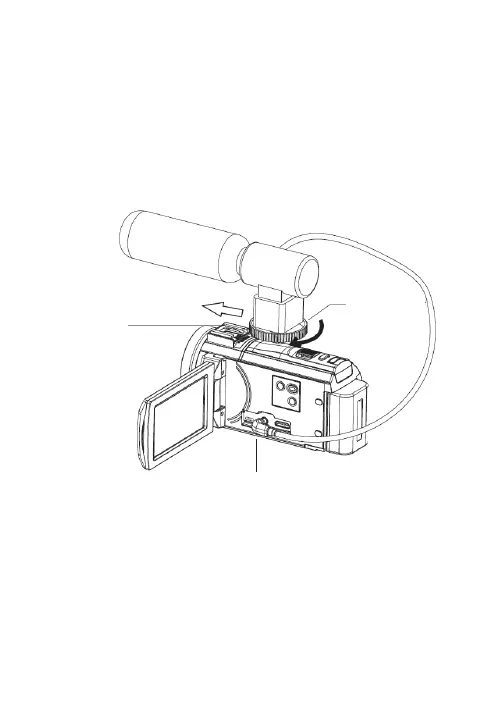
For even higher quality sound, you can attach an external
microphone to your camcorder.
1. Connect the microphone’s 3.5mm plug into the External
Microphone jack on your camcorder.
2. If you are using a cold shoe microphone, then it can slide into
the camcorder’s cold boot and then be tightened securely.
Attaching an External Microphone
Plug in
Tighten
Attach


 To Next Page