19
Accessing Menus
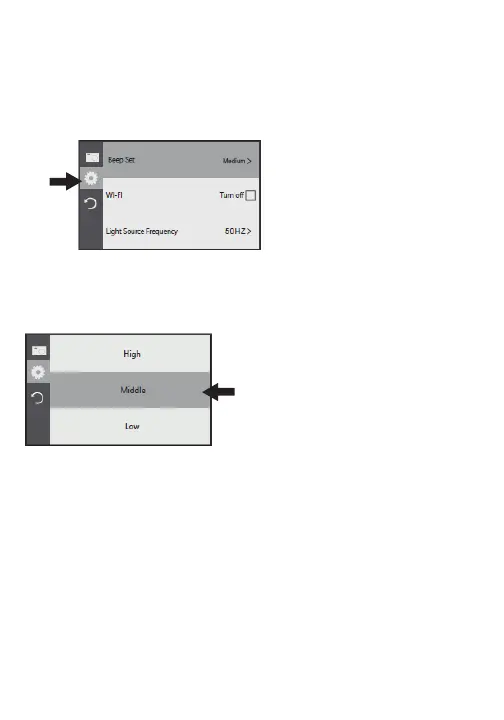
After powering on the camcorder, press the MENU button to
open the settings menu.
Press the MODE button to
shift between camera/video
setting, general camcorder
settings or to exit the
settings menu.
Use the ZOOM to switch
between settings.
Press the CAMERA button once
a setting is highlighted to
FRQ´UP
Press the MENU button to return to a previous menu.


 To Next Page