8
A rechargeable battery is included with your camcorder.
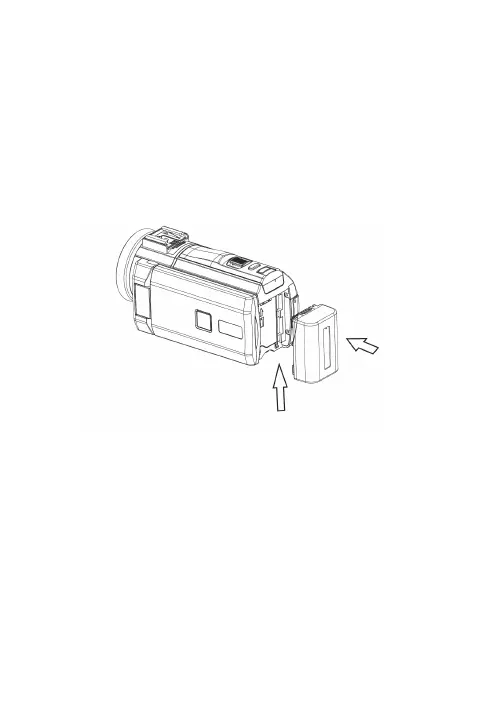
Insert the battery into the camcorder’s battery compartment.
To do so, push the battery towards the battery compartment,
and then slide it upwards, making sure the contacts of the
battery connect to the contacts of the battery compartment.
Make sure the battery slides securely into place. Do not force or
pressure the battery, as doing so could damage the contacts.
Charging the Battery
In order to charge the battery, connect one end of the included
USB cable to the charging port on your camcorder. Connect
the other end to a suitable USB charging adapter.
The Charging Indicator Light turns green while the battery is
charging and turns off when charging is complete.
Note that the camera can be plugged in while recording to be
able to record for longer lengths of time.
When charging, keep all charging cables well ventilated. Do not
NHHS\RXUFKDUJLQJFDEOHLQFRQWDFWZLWKµDPPDEOHPDWHULDOV
such as bedding, linens or synthetic fabrics.
Attaching & Charging the Battery


 To Next Page