6
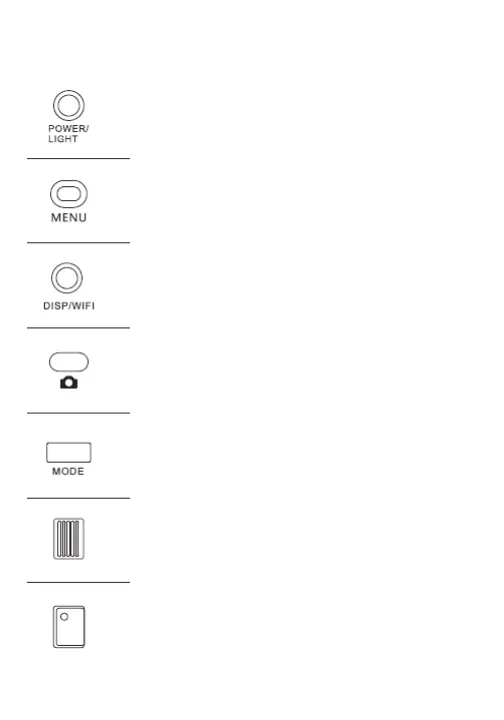
Button Functions
-Press to power on the camcorder.
-Press and hold to power o the camcorder.
-Once powered on, press to turn on night vision (3 red
LED lights), press again to switch to the LED light (3 white
LED lights), then press again to exit..
-Press to pull up settings menu.
-Press to exit menu or return to previous menu.
-Press once to turn o screen icons, twice to turn on/o
the screen.
-In photo/video mode, press and hold to turn on Wi-Fi.
Press to turn o Wi-Fi.
-In photo mode, tap to focus. Press and hold to take a photo.
-In playback mode, press to play/pause.
-Press to select a mode.
-Zoom in or out in (wide/telephoto) in photo/video mode.
-Adjust volume during video playback.
-Toggle through selections in menus.
-In video mode, start and stop recording.
Power/Light Button
Menu Button
Display/Wi-Fi Button
Photo Button
Mode Button
Zoom
Video Button


 To Next Page