14
To enter playback mode, press the playback mode icon in
the lower left hand corner of the photo mode or video mode
display screen.
Once in playback mode, use the Zoom to toggle through videos
or photos.
Press the PHOTO button on your camcorder to play or pause
videos.
Press the MODE button to exit playback mode.
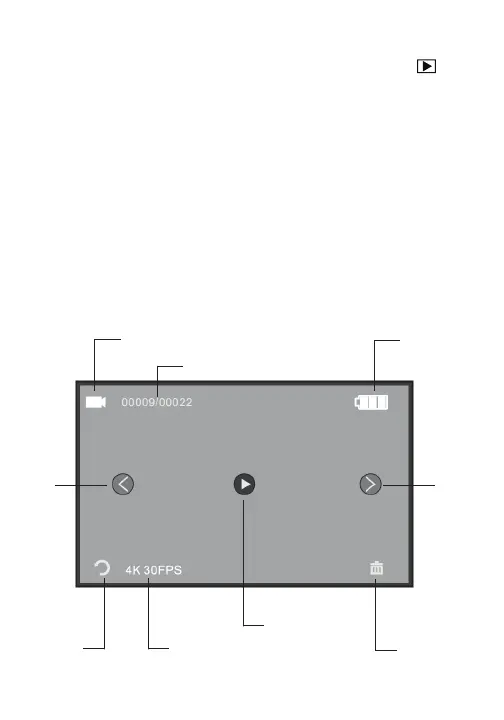
Playback Mode Display Screen
Playback Mode
battery level
W\SHRI´OHSKRWRYLGHR
´OHVDYDLODEOHWRYLHZ
´OHUHVROXWLRQ
play video
GHOHWH´OH
QH[W´OHODVW´OH
exit


 To Next Page