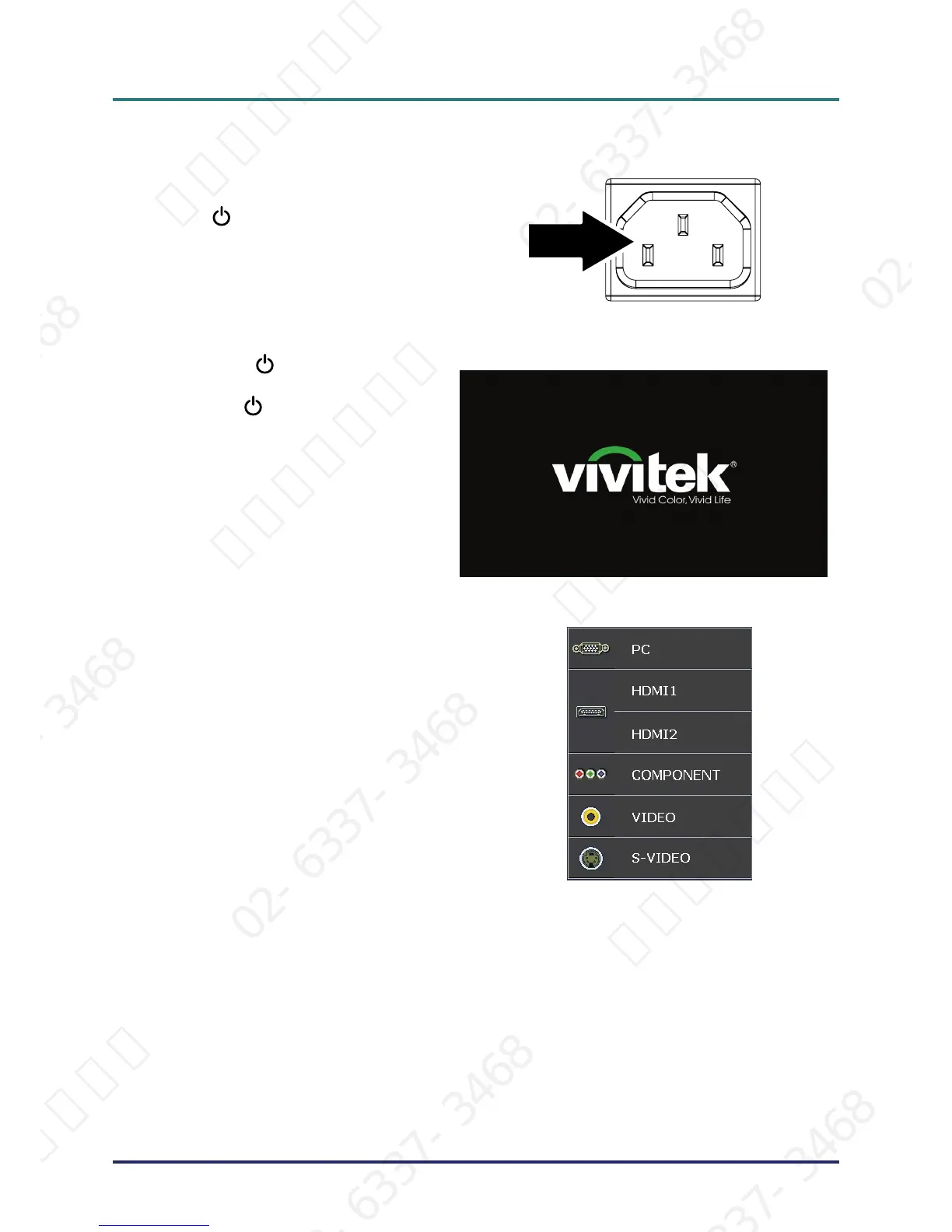
Ensure the POWER LED displays a
solid blue and not a flashing blue. Then
press the
POWER button to turn on
the projector.
The projector splash screen displays and
connected devices are detected.
4.
If more than one input device is con-
nected, press the SOURCE button and
use ▲▼ to scroll among devices.
• PC: Analog RGB
• HDMI 1/2: High Definition Multimedia Interface
•
Component: DVD input YCbCr / YPbPr.
•
S-Video: Super video (Y/C separated)
•
Video: Traditional composite video
서울미디어테크 02-6337-3468 서울미디어테크 02-6337-3468 서울미디어테크 02-6337-3468 서울미디어테크 02-6337-3468 서울미디어테크 02-6337-3468 서울미디어테크 02-6337-3468
02-6337-3468 서울미디어테크 02-6337-3468 서울미디어테크 02-6337-3468 서울미디어테크 02-6337-3468 서울미디어테크 02-6337-3468 서울미디어테크 02-6337-3468
서울미디어테크 02-6337-3468 서울미디어테크 02-6337-3468 서울미디어테크 02-6337-3468 서울미디어테크 02-6337-3468 서울미디어테크 02-6337-3468 서울미디어테크 02-6337-3468
02-6337-3468 서울미디어테크 02-6337-3468 서울미디어테크 02-6337-3468 서울미디어테크 02-6337-3468 서울미디어테크 02-6337-3468 서울미디어테크 02-6337-3468
서울미디어테크 02-6337-3468 서울미디어테크 02-6337-3468 서울미디어테크 02-6337-3468 서울미디어테크 02-6337-3468 서울미디어테크



 To Next Page