D
D
D
L
L
L
P
P
P
P
P
P
r
r
r
o
o
o
j
j
j
e
e
e
c
c
c
t
t
t
o
o
o
r
r
r
—
—
—
U
U
U
s
s
s
e
e
e
r
r
r
’
’
’
s
s
s
M
M
M
a
a
a
n
n
n
u
u
u
a
a
a
l
l
l
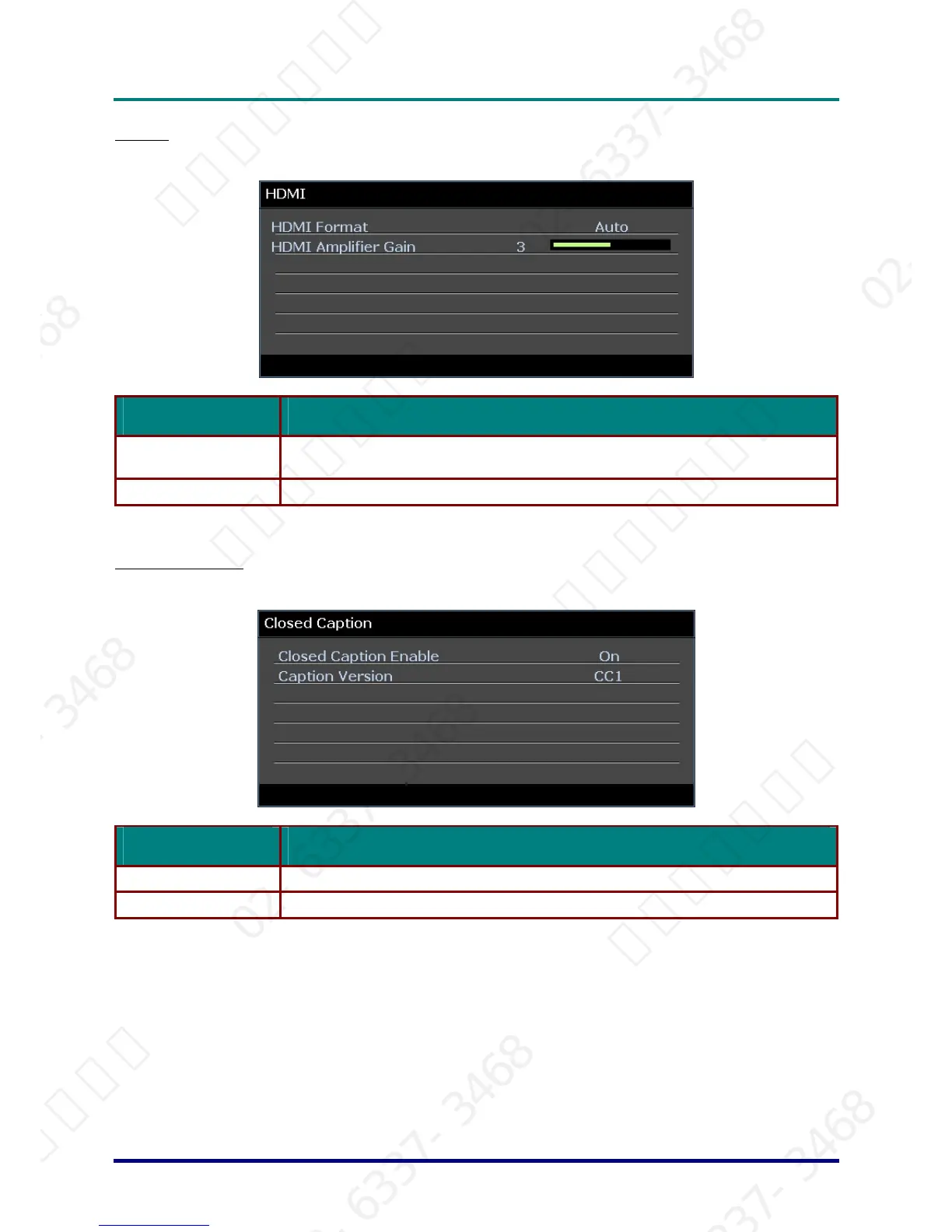
HDMI
Press the ENTER button to enter the HDMI sub menu.
ITEM DESCRIPTION
HDMI Format
Press the ◄► buttons to select from three HDMI display formats:
Auto/ PC signal/ Video signal.
HDMI Amplifier Gain Press the ◄► buttons to adjust HDMI Amplifier Gain.
Closed Caption
Press the ENTER button to enter the Closed Caption sub menu.
ITEM DESCRIPTION
Closed Caption Enable Press the ◄► buttons to turn on or off Closed Caption.
Caption Version Press the ◄► buttons to select the Caption Version.
– 34 –
서울미디어테크 02-6337-3468 서울미디어테크 02-6337-3468 서울미디어테크 02-6337-3468 서울미디어테크 02-6337-3468 서울미디어테크 02-6337-3468 서울미디어테크 02-6337-3468
02-6337-3468 서울미디어테크 02-6337-3468 서울미디어테크 02-6337-3468 서울미디어테크 02-6337-3468 서울미디어테크 02-6337-3468 서울미디어테크 02-6337-3468
서울미디어테크 02-6337-3468 서울미디어테크 02-6337-3468 서울미디어테크 02-6337-3468 서울미디어테크 02-6337-3468 서울미디어테크 02-6337-3468 서울미디어테크 02-6337-3468
02-6337-3468 서울미디어테크 02-6337-3468 서울미디어테크 02-6337-3468 서울미디어테크 02-6337-3468 서울미디어테크 02-6337-3468 서울미디어테크 02-6337-3468
서울미디어테크 02-6337-3468 서울미디어테크 02-6337-3468 서울미디어테크 02-6337-3468 서울미디어테크 02-6337-3468 서울미디어테크



 To Next Page