D
D
D
L
L
L
P
P
P
P
P
P
r
r
r
o
o
o
j
j
j
e
e
e
c
c
c
t
t
t
o
o
o
r
r
r
—
—
—
U
U
U
s
s
s
e
e
e
r
r
r
’
’
’
s
s
s
M
M
M
a
a
a
n
n
n
u
u
u
a
a
a
l
l
l
– 20 –
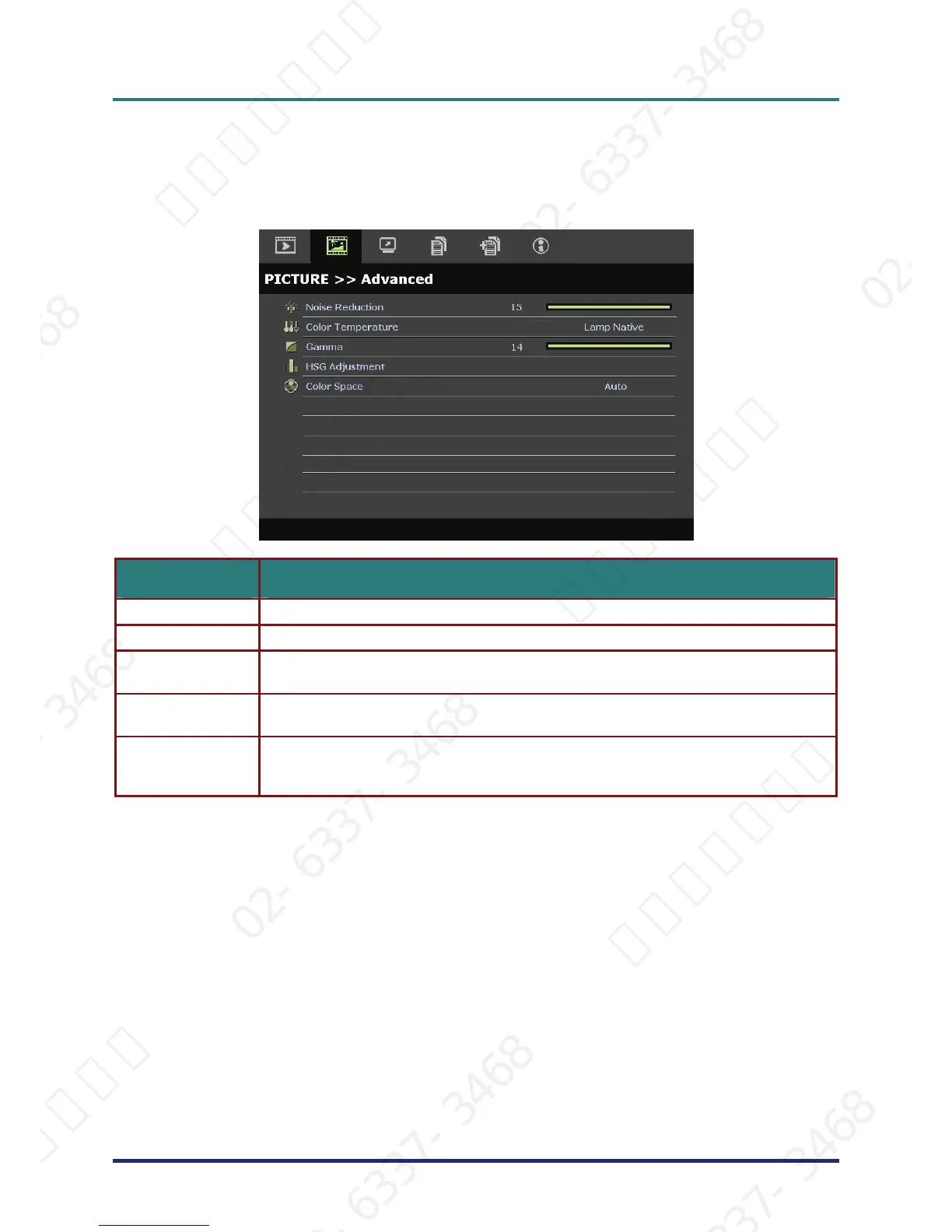
PICTURE>>Advanced Menu
Press the MENU button to open the OSD menu. Press the cursor ◄► button to move to the
PICTURE>>Advanced menu. Press the cursor ▲▼ button to move up and down in the
PICTURE>>Advanced menu. Press ◄► to change values for settings.
ITEM DESCRIPTION
Noise Reduction Press the cursor ◄► button to adjust the Noise Reduction.
Color Temperature Press the cursor ◄► button to set the Color Temperature.
Gamma
Press the cursor ◄► button to adjust the gamma correction of the display.
Notes: This function is only available in User 1/ 2/ 3 mode.
HSG Adjustment
Press the ENTER button to enter the HSG Adjustment sub menu.
See HSG Adjustment on page 21.
Color Space
Press the cursor ◄► button to set the Color Space.
(Range: Auto/ RGB/ SDTV/ HDTV)
Notes: This function is only available when HDMI
TM
input source is selected.
서울미디어테크 02-6337-3468 서울미디어테크 02-6337-3468 서울미디어테크 02-6337-3468 서울미디어테크 02-6337-3468 서울미디어테크 02-6337-3468 서울미디어테크 02-6337-3468
02-6337-3468 서울미디어테크 02-6337-3468 서울미디어테크 02-6337-3468 서울미디어테크 02-6337-3468 서울미디어테크 02-6337-3468 서울미디어테크 02-6337-3468
서울미디어테크 02-6337-3468 서울미디어테크 02-6337-3468 서울미디어테크 02-6337-3468 서울미디어테크 02-6337-3468 서울미디어테크 02-6337-3468 서울미디어테크 02-6337-3468
02-6337-3468 서울미디어테크 02-6337-3468 서울미디어테크 02-6337-3468 서울미디어테크 02-6337-3468 서울미디어테크 02-6337-3468 서울미디어테크 02-6337-3468
서울미디어테크 02-6337-3468 서울미디어테크 02-6337-3468 서울미디어테크 02-6337-3468 서울미디어테크 02-6337-3468 서울미디어테크



 To Next Page