D
D
D
L
L
L
P
P
P
P
P
P
r
r
r
o
o
o
j
j
j
e
e
e
c
c
c
t
t
t
o
o
o
r
r
r
–
–
–
U
U
U
s
s
s
e
e
e
r
r
r
’
’
’
s
s
s
M
M
M
a
a
a
n
n
n
u
u
u
a
a
a
l
l
l
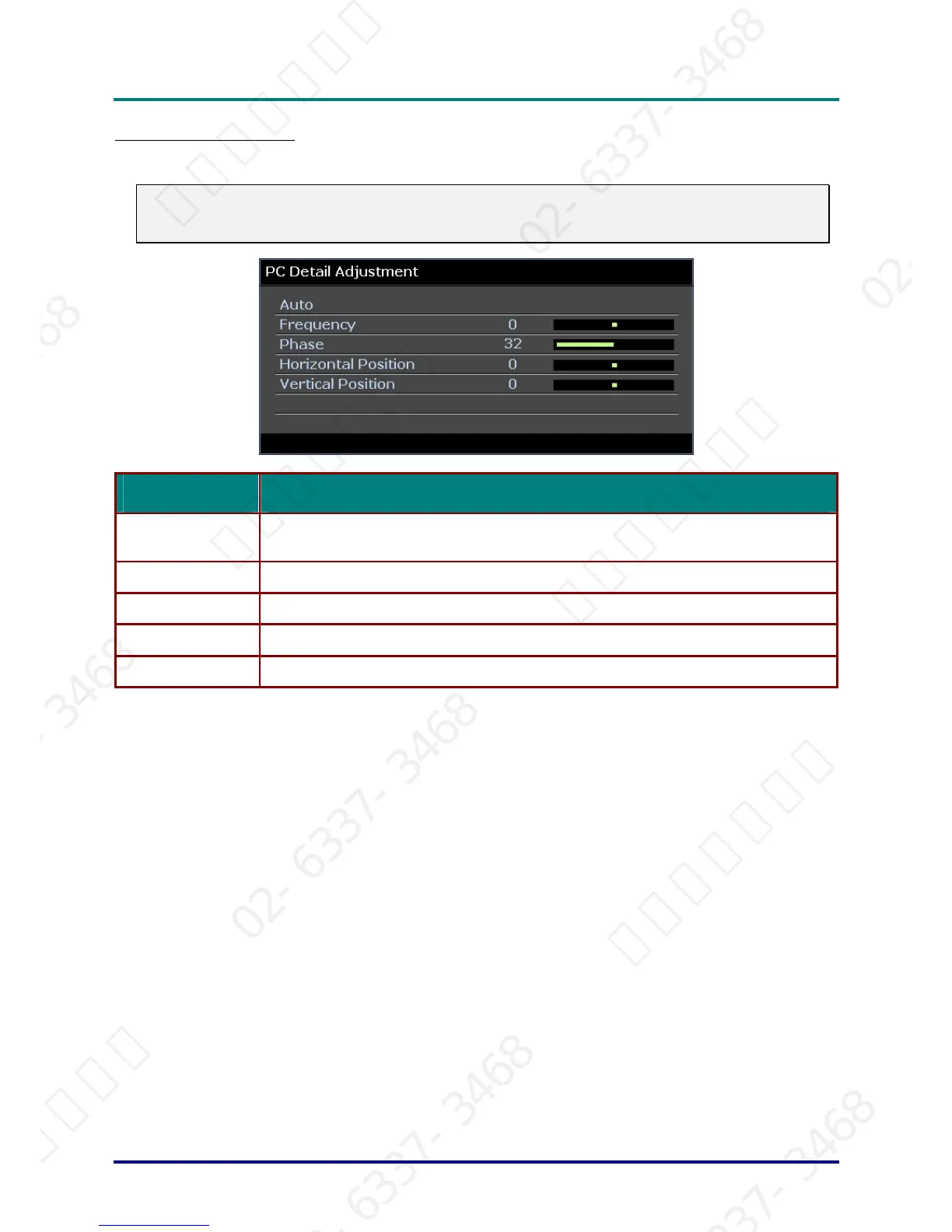
PC Detail Adjustment
Press the ENTER button to enter the PC Detail Adjustment sub menu.
Note:
Customizing the settings in PC Detail Adjustment menu is only available when PC input source
(analog RGB) is selected.
ITEM DESCRIPTION
Auto
Press the ENTER/AUTO button on the control panel or the ENTER/AUTO button on the
remote control to automatically adjust frequency, phase, and position.
Frequency Press the ◄► buttons to adjust the A/D sampling number.
Phase Press the ◄► buttons to adjust the A/D sampling clock.
Horizontal Position Press the ◄► buttons to adjust the display position right or left.
Vertical Position Press the ◄► buttons to adjust the display position up or down.
– 23 –
서울미디어테크 02-6337-3468 서울미디어테크 02-6337-3468 서울미디어테크 02-6337-3468 서울미디어테크 02-6337-3468 서울미디어테크 02-6337-3468 서울미디어테크 02-6337-3468
02-6337-3468 서울미디어테크 02-6337-3468 서울미디어테크 02-6337-3468 서울미디어테크 02-6337-3468 서울미디어테크 02-6337-3468 서울미디어테크 02-6337-3468
서울미디어테크 02-6337-3468 서울미디어테크 02-6337-3468 서울미디어테크 02-6337-3468 서울미디어테크 02-6337-3468 서울미디어테크 02-6337-3468 서울미디어테크 02-6337-3468
02-6337-3468 서울미디어테크 02-6337-3468 서울미디어테크 02-6337-3468 서울미디어테크 02-6337-3468 서울미디어테크 02-6337-3468 서울미디어테크 02-6337-3468
서울미디어테크 02-6337-3468 서울미디어테크 02-6337-3468 서울미디어테크 02-6337-3468 서울미디어테크 02-6337-3468 서울미디어테크



 To Next Page