D
D
D
L
L
L
P
P
P
P
P
P
r
r
r
o
o
o
j
j
j
e
e
e
c
c
c
t
t
t
o
o
o
r
r
r
–
–
–
U
U
U
s
s
s
e
e
e
r
r
r
’
’
’
s
s
s
M
M
M
a
a
a
n
n
n
u
u
u
a
a
a
l
l
l
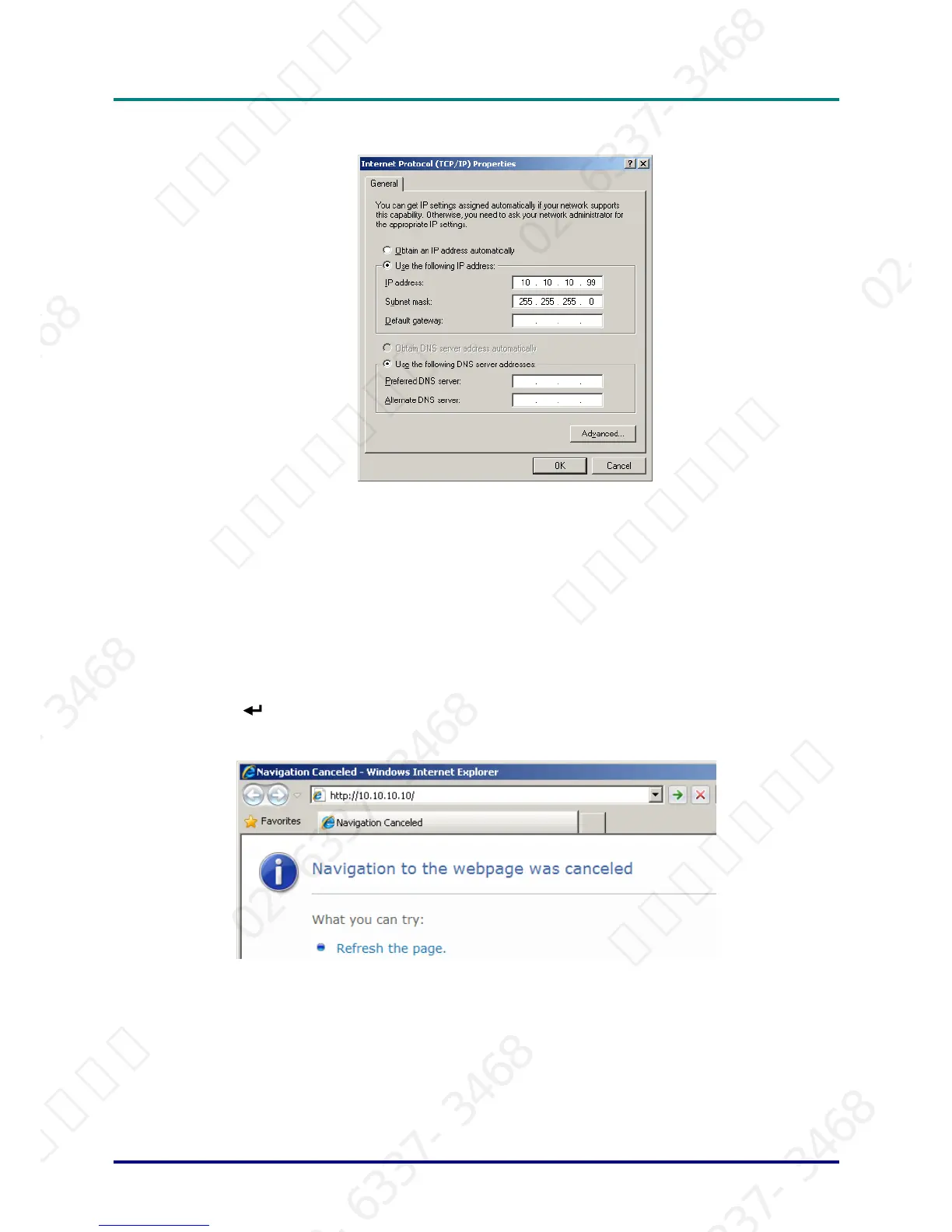
6. Click Use the following IP address and fill in the IP address and Subnet mask, then click OK.
7. Press the Menu button on the projector.
8. Select OSD ´ SETUP ´ Network ´ Enabled.
9. After getting into Network, input the following:
` DHCP: Off
` IP Address: 10. 10. 10. 10
` Subnet Mask: 255.255.255.0
` Gateway: 0.0.0.0
` DNS Server: 0.0.0.0
10. Press (Enter) / ► to confirm settings.
11. Open a web browser (for example, Microsoft Internet Explorer with Adobe Flash Player 9.0 or higher).
12. In the Address bar, input the IP address: 10. 10. 10. 10.
– 29 –
서울미디어테크 02-6337-3468 서울미디어테크 02-6337-3468 서울미디어테크 02-6337-3468 서울미디어테크 02-6337-3468 서울미디어테크 02-6337-3468 서울미디어테크 02-6337-3468
02-6337-3468 서울미디어테크 02-6337-3468 서울미디어테크 02-6337-3468 서울미디어테크 02-6337-3468 서울미디어테크 02-6337-3468 서울미디어테크 02-6337-3468
서울미디어테크 02-6337-3468 서울미디어테크 02-6337-3468 서울미디어테크 02-6337-3468 서울미디어테크 02-6337-3468 서울미디어테크 02-6337-3468 서울미디어테크 02-6337-3468
02-6337-3468 서울미디어테크 02-6337-3468 서울미디어테크 02-6337-3468 서울미디어테크 02-6337-3468 서울미디어테크 02-6337-3468 서울미디어테크 02-6337-3468
서울미디어테크 02-6337-3468 서울미디어테크 02-6337-3468 서울미디어테크 02-6337-3468 서울미디어테크 02-6337-3468 서울미디어테크



 To Next Page