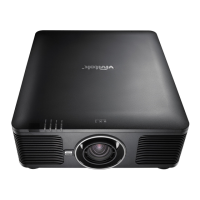
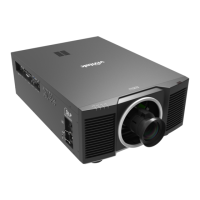
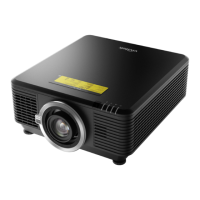
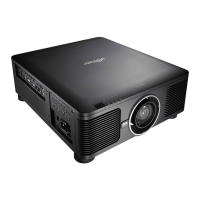
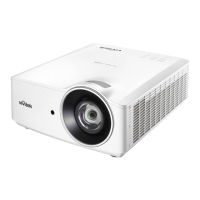
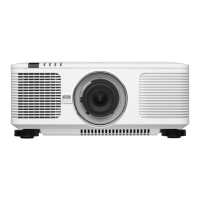
DU6771 DLP Projector User Manual
1
UN67711216EN00
Table of Contents
Copyright ........................................................................................................................................................................... 2
Copyright .................................................................................................................................................................... 2
Disclaimer .................................................................................................................................................................. 2
About the Manual ....................................................................................................................................................... 2
Important Safety Guidelines .............................................................................................................................................. 3
Safety Notification ...................................................................................................................................................... 3
Installation and Use Notices ...................................................................................................................................... 4
Disposal of Old Electric and Electronic Equipment ................................................................................................... 4
Important Recycling Instructions ................................................................................................................................ 4
Introduction ........................................................................................................................................................................ 5
Packing Checklist ....................................................................................................................................................... 5
Projector Overview ..................................................................................................................................................... 6
IO Panel ..................................................................................................................................................................... 8
Control Panel ............................................................................................................................................................. 9
Remote Control ........................................................................................................................................................ 10
Installation and Setting up the Projector ......................................................................................................................... 12
Inserting or Replacing the Remote Control Batteries .............................................................................................. 12
Installing the Projector ............................................................................................................................................. 13
Installing or Removing the Optional Lens ................................................................................................................ 15
Turning on the Projector .......................................................................................................................................... 17
Turning off the Projector ........................................................................................................................................... 18
Setting up the Cooling Condition ............................................................................................................................. 19
Setting up the Projection Mode ................................................................................................................................ 19
Adjusting Projected Image Position ......................................................................................................................... 20
Adjusting the Focus and Zoom ................................................................................................................................ 20
Correcting Keystone Distortion ................................................................................................................................ 21
Correcting Distortion at the Corner .......................................................................................................................... 22
Using Control ID for Multi-projector Application ....................................................................................................... 23
Preventing the Unauthorized Use of the Projector .................................................................................................. 25
Using the Control Panel Lock ........................................................................................................................... 25
Using Security Lock .......................................................................................................................................... 25
Using the Screw to Lock the Projection Lens ................................................................................................... 26
Making Connections ........................................................................................................................................................ 27
Connecting to Personal Computer ........................................................................................................................... 27
Connecting to the Video Device............................................................................................................................... 27
Connecting to the Control Equipment ...................................................................................................................... 28
Connecting to the Screen Trigger ............................................................................................................................ 29
Connecting to External HDBaseT Transmitter ......................................................................................................... 30
Using the projector .......................................................................................................................................................... 31
Using On-Screen Display......................................................................................................................................... 31
Menu Tree ................................................................................................................................................................ 32
OSD Operation - PICTURE .............................................................................................................................. 36
OSD Operation - SIGNAL ................................................................................................................................. 38
OSD Operation - SETUP .................................................................................................................................. 39
OSD Operation - INSTALLATION ..................................................................................................................... 43
OSD Operation - SERVICE .............................................................................................................................. 49
Product Specification ...................................................................................................................................................... 50
Supported Signal Input Timing ........................................................................................................................................ 51
Configurations of Terminals ............................................................................................................................................. 53
DU6771 Lens Series ....................................................................................................................................................... 54
Product Dimensions ........................................................................................................................................................ 55
Replacing the Projection Lamps ..................................................................................................................................... 56
Replacing the Filter ......................................................................................................................................................... 58
Cleaning the Projector ..................................................................................................................................................... 59
Troubleshooting ............................................................................................................................................................... 60
LED Indication .......................................................................................................................................................... 60
Tips for Troubleshooting .......................................................................................................................................... 61
About the Vivitek Support ................................................................................................................................................ 63



 To Next Page