DU6771 DLP Projector User Manual
8
UN67711216EN00
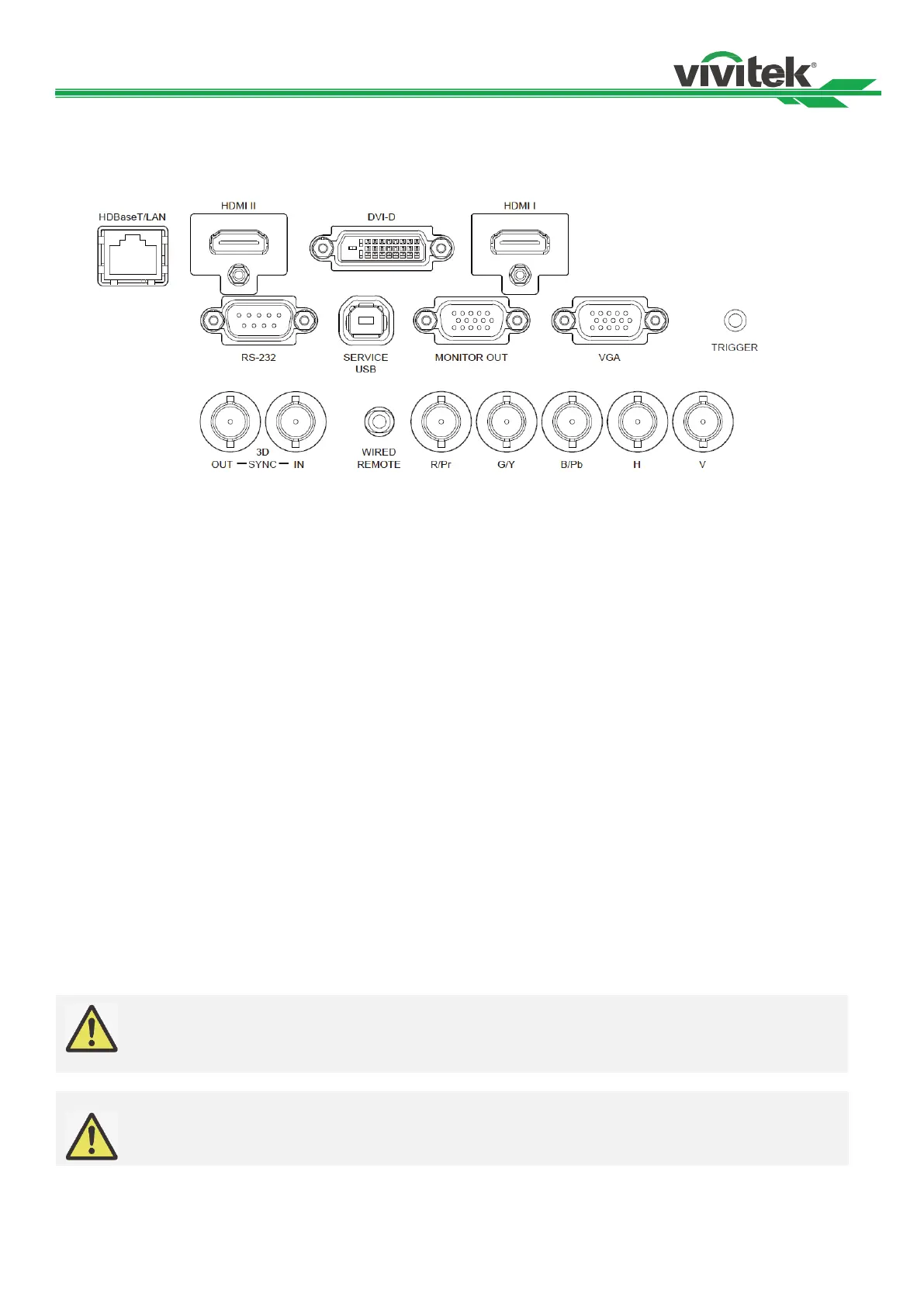
IO Panel
Connect an Ethernet cable (Cat5/Cat6, not supplied)
from a computer, network device, or HDBaseT
transmitter.
HDMI II
Connect the HDMI cable from a computer or video
device
DVI-D
Connect to DVI-D cable from a DVI-D output of the
device.
HDMI I
Connect the HDMI cable from a computer or video
device.
RS-232
The 9-pin D-sub interface is used to connect to the PC
control system and projector maintenance.
Service USB
It is a port exclusively used for maintenance and only can
be used by the authorized maintenance personnel.
Connect to a monitor to display the projected content.
VGA
Provide the standard 15-pin VGA connection and can
connect to RGB, HD Component or personal computer.
TRIGGER(12V +/-1.5V)
When connected to the screen through a 3.5mm cable,
the screen deploys automatically on start-up of the
projector. The screen reacts when the projector is
powered off.
3D SYNC IN / Out
Connect to the 3D IR synchronization signal transmitter.
WIRED REMOTE
Connect the supplied remote controller to the projector
Component (V, H, B/Pb, G/Y, R/Pr)
Connect RGBHV or Component signal from computer or
component video enabled device
When the projector is turned on, a control signal (DC 12V) outputs from this terminal.
Do not use this jack for anything other than intended use.
Note for Wired Remote Controller
Please make sure whether the port for insertion is correct before the terminal of the wired remote
control is inserted. The remote control may be damaged if inserted to the wrong port such as trigger.
Do not use this jack for anything other than intended use



 To Next Page