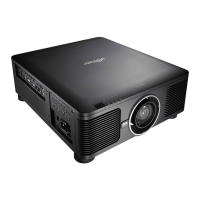
DU6771 DLP Projector User Manual
40
UN67711216EN00
Lamp Mode
Use the ◄► function to select the single-lamp or dual-lamp mode.
Dual: Enable the dual-lamp projection mode.
Single: Use the single-lamp mode for the projection. The lamp is not specified in this mode, the projector selects the
lamp that has the least operation hours automatically whenever it is turned on
Lamp 1: Use Lamp 1 for projection. The system switches to Lamp 2 if Lamp 1 is abnormal in activation.
Lamp 2: Use Lamp 2 for projection. The system switches to Lamp 1 if Lamp 2 is abnormal in activation.
In the Lamp 1 or Lamp 2 mode, the projector will switch to another lamp when the set lamp becomes
abnormal. The corresponding LED indicator of the lamp will flash simultaneously for seconds and light
up.
When the lamp mode is set to Single, the setting will become valid upon turn-on of the projector next
time.
Quick switch of the lamp mode may affect the life of the lamp. The projector will disable the lamp
mode function (highlighted) every time when a switch is conducted till the switch of the lamp mode is
completed. The lamp mode options are not available before the switch of the lamp mode is completed
receiver via control key button or RS-232 command.
Lamp Power
Use the ◄► function to select Normal, Eco or Custom Power Level mode.
Normal: Projection is carried out using the normal lamp power to obtain the brightest projection display.
Eco: Projection is carried out in the energy saving mode to ensure the longest service life of the lamp.
Custom Power Level: In addition to the Normal and Eco modes, the lamp power equal to 100% to 75% of the
power in the Normal mode is used for fine-tune of the brightness in the Custom Power Level mode. This function
can be used for quick installation and routine maintenance in multi-projector applications. Select this mode to
enable the Custom Power Level function.
Custom Power Level
Select this function and use the ◄► to adjust lamp power between 100% and 75%, note that this function is valid only
when Lamp Power is set to Custom Power Level.
Startup Logo
Use the ◄► function to turn on/off the Startup Logo.
Digital Alignment
Select this function to enlarge the projected image.
Digital Zoom: Use ◄► to enlarge the projected image.
Digital Pan: Use ◄► to move the projected image horizontally. This function is only available when the projected
image is enlarged.
Digital Scan: Use ◄► to move the projected image vertically. This function is only available when the projected
image is enlarged.
Reset: Set the Digital Alignment back to the factory default value.
Trigger
The projector is provided with a set of trigger output. User can connect the trigger to the screen with projector by the
cable. If user does so, once the projector is powered, the screen would be automatically turned on as well. There is a
2-3 second delay to activate this function.
Dynamic Black
This is function can be used to enhance the black level of the projected image, set it to on to active the dynamic black
shutter, otherwise, set it to off to disable it.



 To Next Page