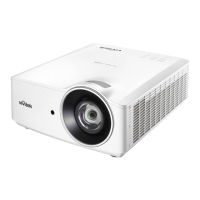
DU6771 DLP Projector User Manual
62
UN67711216EN00
4. Check if Blank/Shutter function is enabled.
Remote Control Problems
Problem: The projector does not respond to the remote control.
1. Direct the remote control towards remote sensor on the projector.
2. Ensure the path between remote and sensor is not obstructed.
3. Check the battery polarity or replace the batteries.
4. Check the remote sensor on OSD is turned on, you can check the setting via INSTALLATION->Remote Sensor.
The remote sensor is turned off if it’s set to HDBaseT or Off.
5. Ensure remote control wire is not plugged in the projector.
6. Turn off any fluorescent lights in the room.
7. Turn off other Infrared-enabled devices in the vicinity.
8. Have the remote control serviced.
9. Ensure that the remote control code conforms to the projector's code if universal remote control is used.
Projection Lens Problems
Problem: The Zoom or Focus adjustment can’t work.
1. Check if the lens is installed properly, improper lens installation may cause to lens can’t work normally. Please
follow the lens installation procedure to check again.
2. Perform Center Lens function to calibrate the Lens again.
3. Make sure Lens Lock function is not enabled.
4. Replace the other lens to check the problem if the lens is available.
5. Contact with service center for the details.
Remote communication Problems
Problem: The projector does not respond to Ethernet control
1. Make sure Standby model is set to Network Standby; the communication path is interrupted if it’s set to Eco (less
0.5W).
2. Check the network configuration in your laptop and projector; refer to Remote Communication manual for more
information.



 To Next Page