VIVOTEK
20 - User's Manual
W
T
8
N
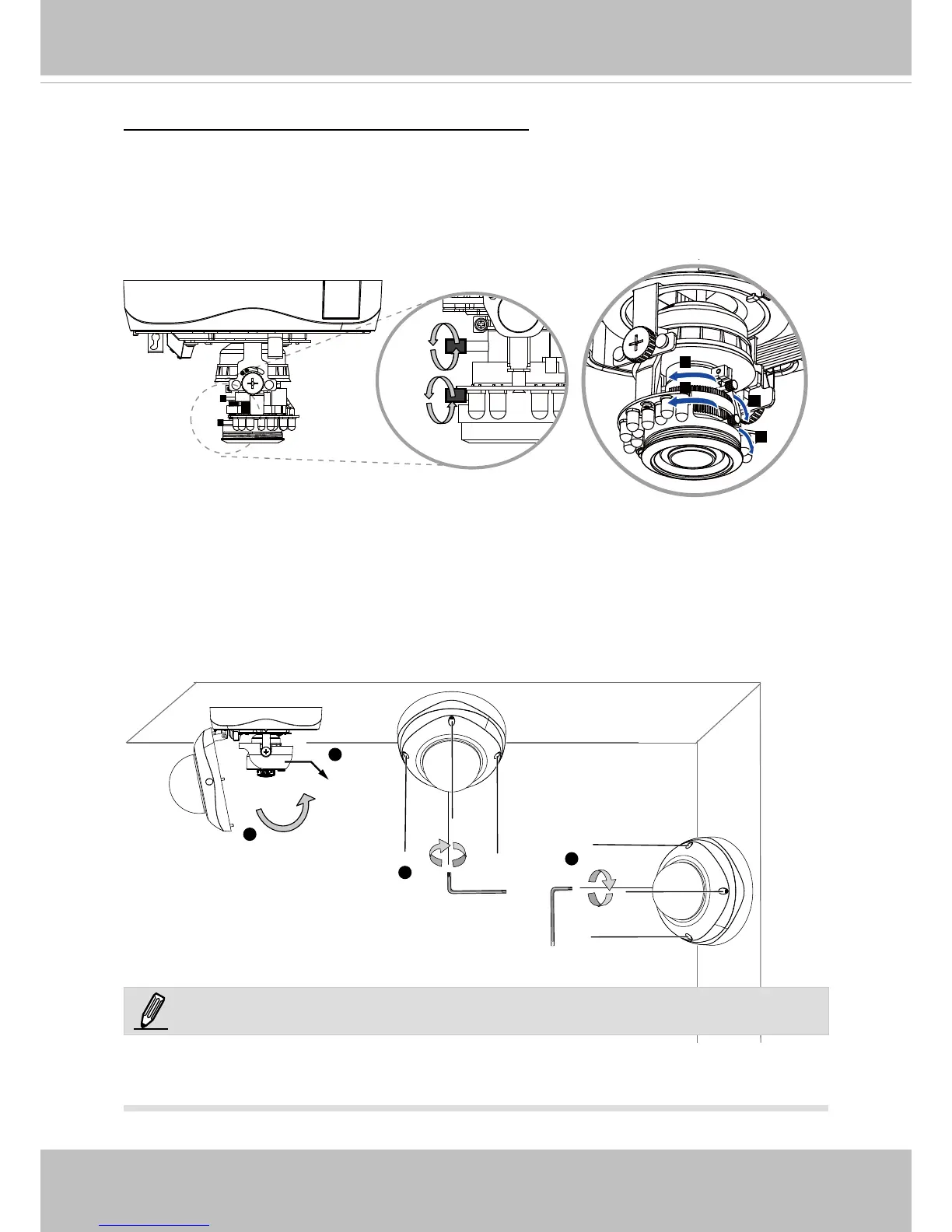
To adjust the zoom factor and focus range
1� Loosen the zoom controller and then adjust zoom factor by moving the controller left and
right� Upon completion, tighten the zoom controller screw�
2� Loosen the focus controller and then adjust focus range by moving the controller left and
right� Upon completion, tighten the focus controller screw�
Completion
1� Install the black cover�
2� Attach the dome cover to the camera by combining it to the retainer and aligning with the
mounting holes�
3� Secure the four dome screws with the supplied hex key wrench� Make sure all parts of
the camera are securely installed�
2
1
3
3
Black
Cover
NOTE:
You will nd a moisture absorber bag attached to the dome cover. Replace the moisture
absorber included in the camera with the one shipped within the accessory bag�











 To Next Page