VIVOTEK
User's Manual - 85
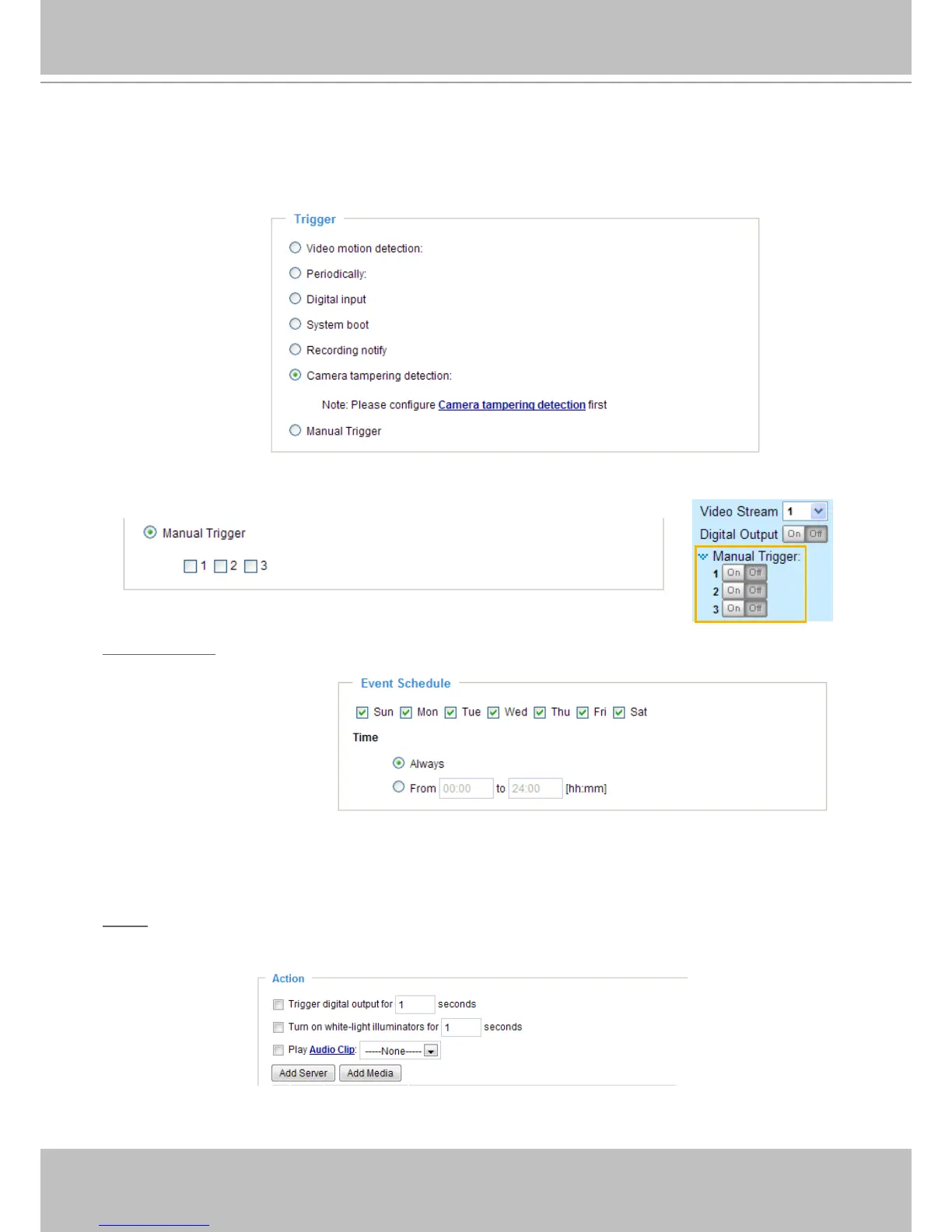
■ Camera tampering detection
This option allows the Network Camera to trigger when the camera detects that is is being tampered
with� To enable this function, you need to congure the Tampering Detection option rst. Please refer
to page 77 for detailed information�
■ Manual Trigger
This option allows user to enable event triggers manually by clicking the on/off button on the
homepage. Please congure 1 to 3 events before using this function.
Event Schedule
Specify the period fo time in which the event will take effect�
■ Select the days of the week.
■ Select the recording schedule in 24-hr time format.
Action
Dene the actions to be performed by the Network Camera when a trigger is activated.
To set an event with recorded video or snapshots, it is necessary to congure the server and
media settings so that the Network Camera will know what action to take (such as which server



 To Next Page