VIVOTEK - Built with Reliability
User's Manual - 81
Motion Detection
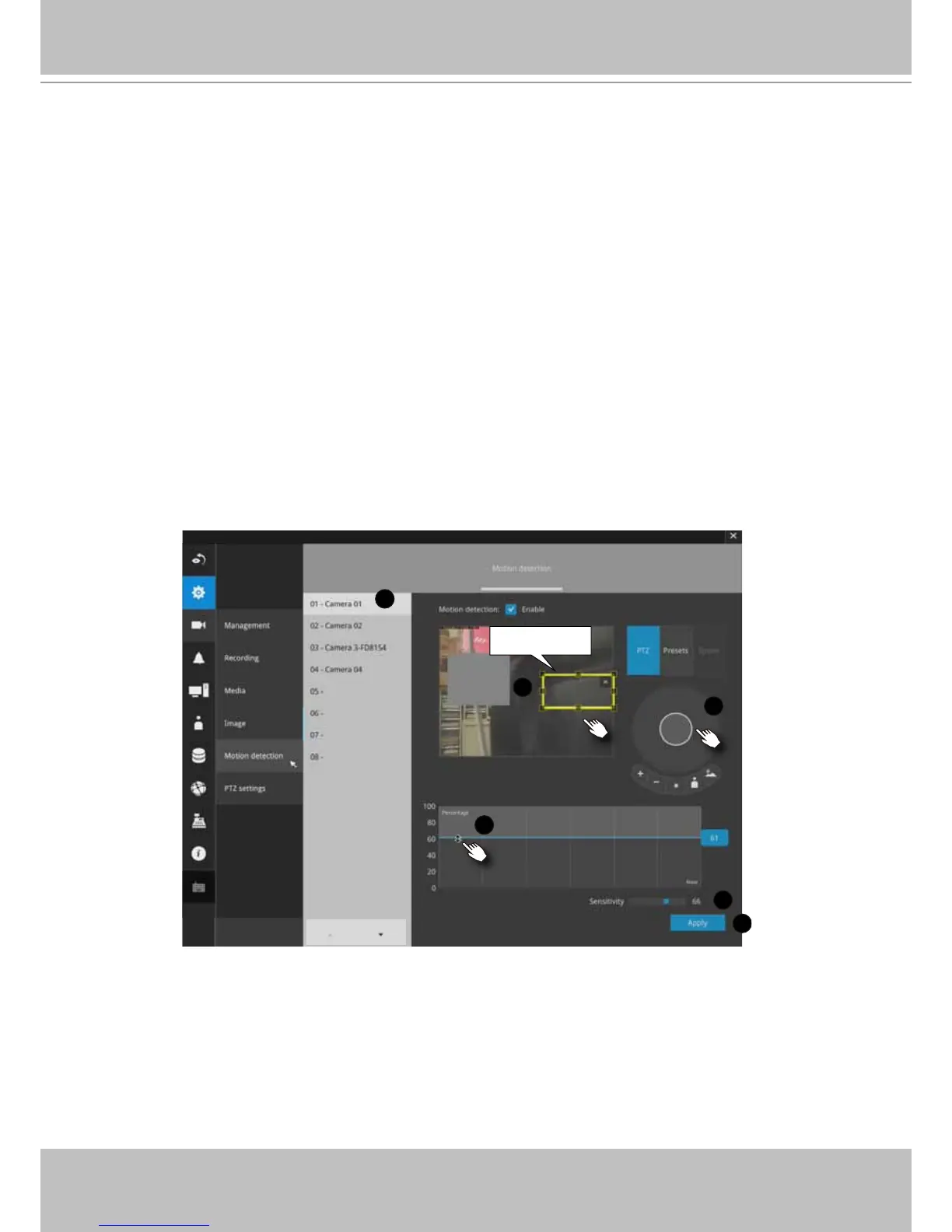
To set up a detection window:
1. Select a camera by a single click.
2. Use the PTZ panel to move to a eld of view where you want to place a detection
window. (if using a PTZ camera).
3. Click and drag to draw a rectangular or polygon detection window.
4. Pull the detection area level up to a preferred position. An object must be larger
than the detection area to trigger an alarm.
5. Select a Sensitivity level using the slide bar.
6. Click the Apply button for the conguration to take effect.
The sample screen shows a connection with a speed dome camera.
If you already congured Preset positions, expand its menu and click on the
presets to move to a position.
3-4-6. Settings - Camera - Motion Detection
Detection window
1
2
3
5
6
4



 To Next Page