EasyManua.ls Logo

Vivotek ND8322P - Page 29

Vivotek ND8322P
192 pages
Print Icon
To Next Page IconTo Next Page
To Previous Page IconTo Previous Page
Loading...
VIVOTEK - Built with Reliability
User's Manual - 29
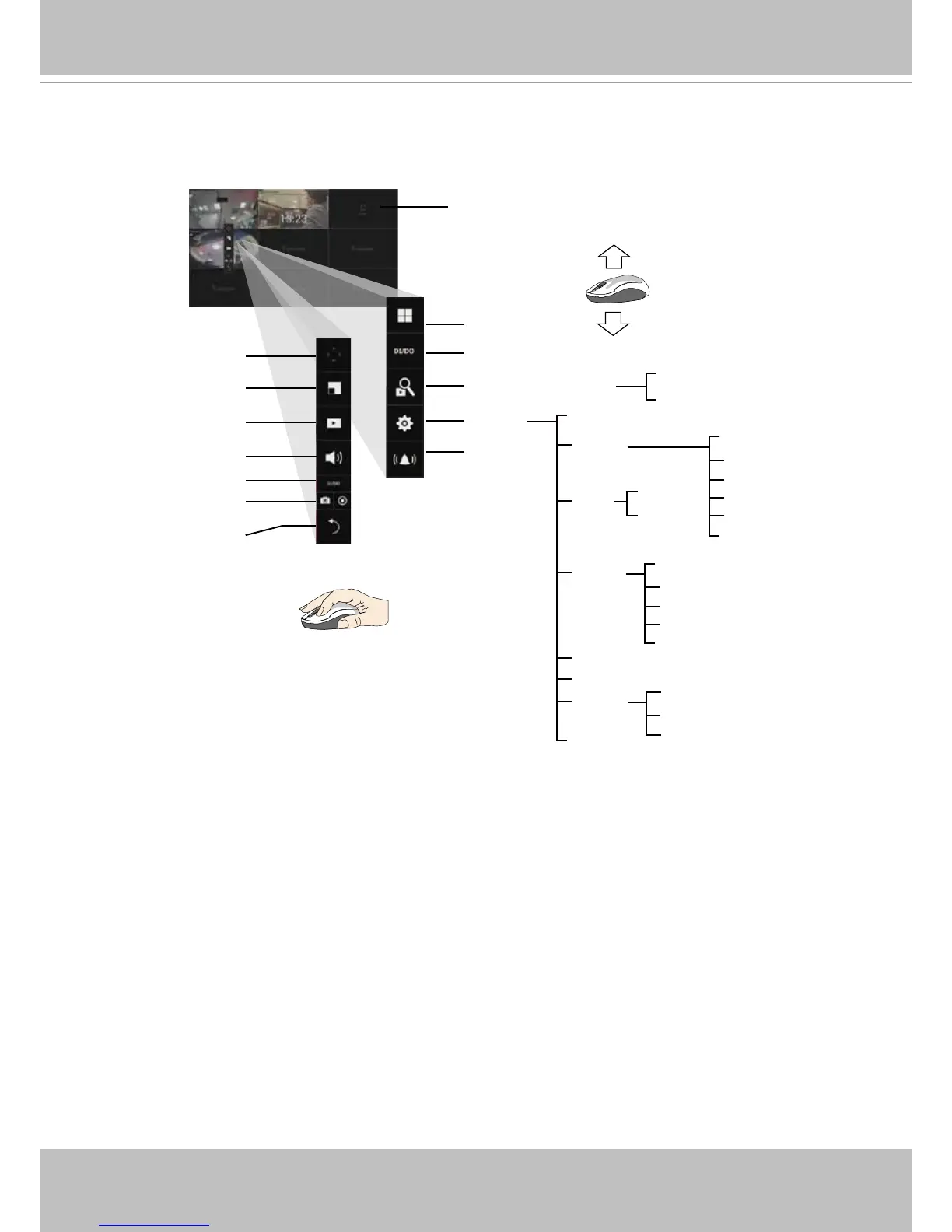
By default, a live view appears on an HDMI monitor. The interface architecture of the local
console is illustrated as follows:
LiveView Main screen
Main control portals
Search recording clip
DI/DO
Layout
Settings
Search panel
Storyboard
Camera
Alarm
Management
Recording
Media
Image
Motion detection
PTZ settings
Alarm
Email
System
Information
Maintenance
Display
UPS
Logs
User
Storage
Network
IP
DDNS
Services
Overview (camera connection & storage)
Stop buzzer
Play recording clip
PiP
PTZ
DI/DO
Snapshot | Manual
recording
Deselect camera
Config. portal
Camera portal
Information
Audio
When a view cell is selected.

Table of Contents

Related product manuals