VIVOTEK - Built with Reliability
168 - User's Manual
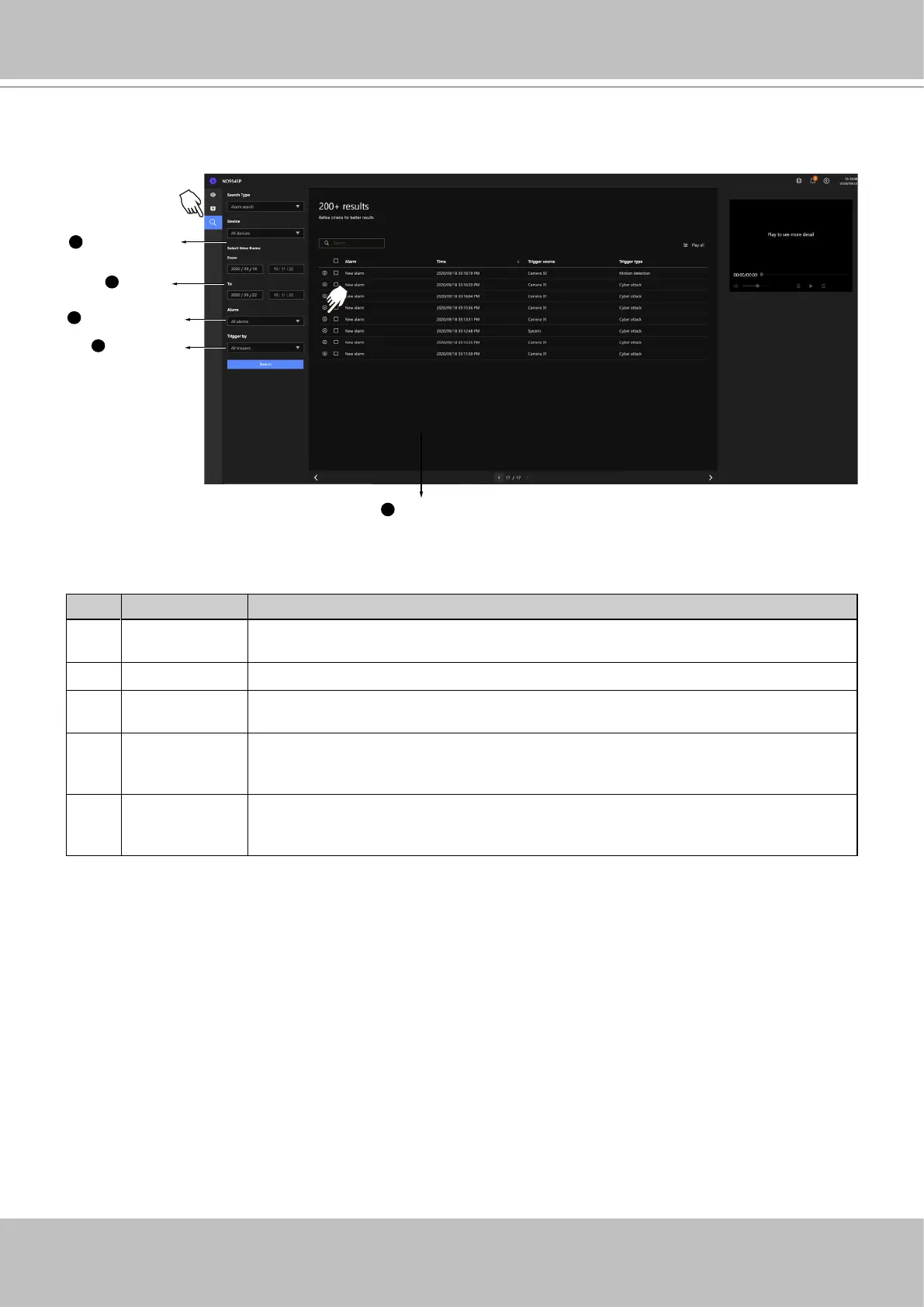
4-4. Graphical Layout and Screen Elements - Search
Search conditions
Search results
Calendar
1
5
2
Configured alarms
3
Trigger types
4
Playback button
The screen elements of the Playback window are described as follows:
Item Name Description
1 Search
conditions
The whole panel provides access to search conditions. You can select Devices,
time span, pre-congured alarms, or trigger types.
2 Calendar Shows when the possible time of occurrence of alarms.
3 Congured
alarms
Select the alarms you previously congured on the system.
4 Trigger types There are many trigger types including system event triggers, cyber attacks, DI
/
DO, or the numerous VCA detection triggers.
5 Search results The results are displayed by Alarm name, Time of occurrence, Trigger source,
and the Trigger type.



 To Next Page