VIVOTEK - A Leading Provider of Multimedia Communication Solutions
User's Manual - 13
Getting Started
Please follow the steps below to link your computer to NR8201/8301 for the rst time:
1. Connect your computer to NR8201/8301 (LAN port) using an Ethernet cable.
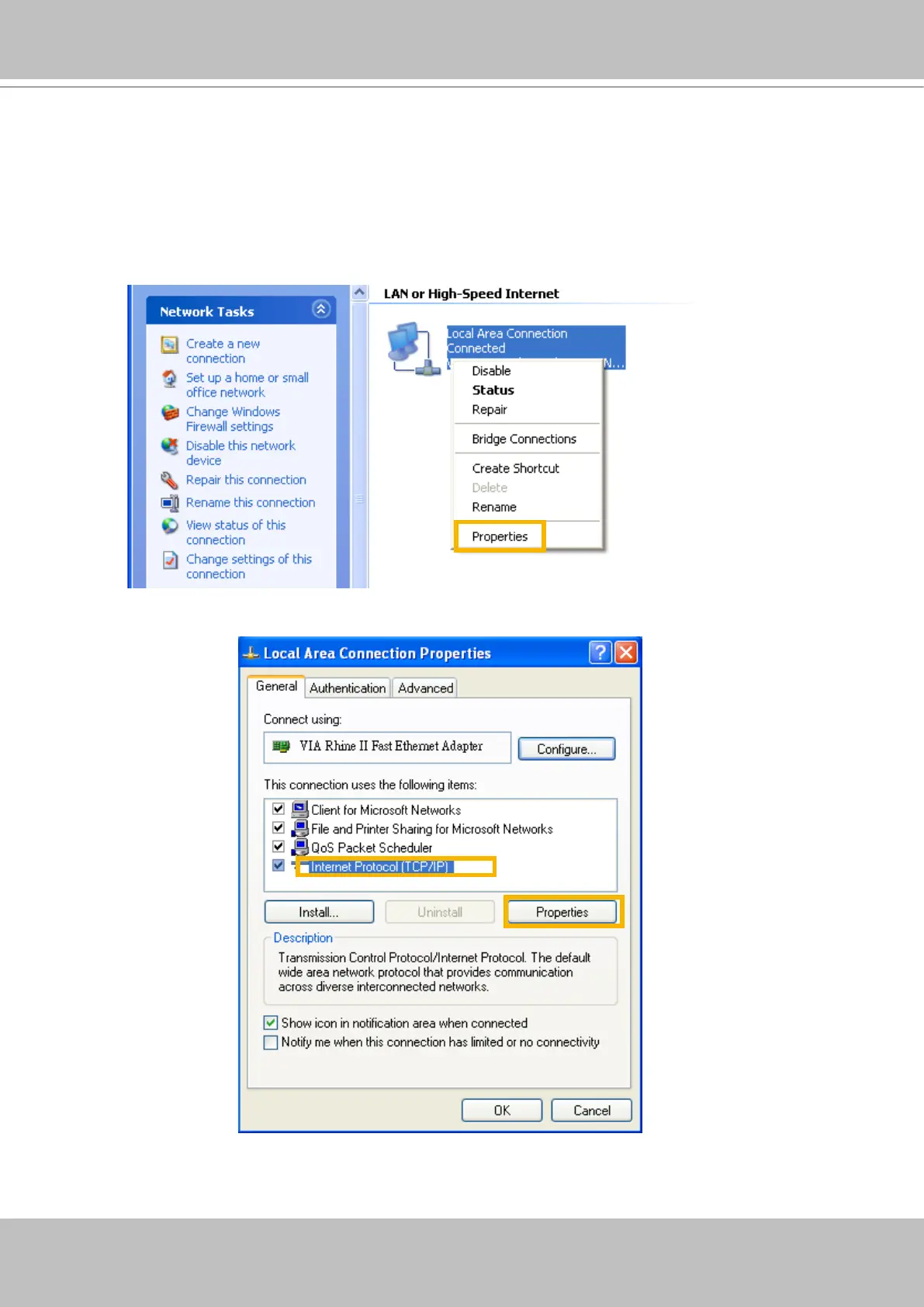
2. Setup your computer in DHCP mode.
a. Click Start > My Network Places > View network connections.
b. Right-click on Local Area Connection, and then click Properties.
c. Select Internet Protocol (TCP/IP), and then click Properties.



 To Next Page