VIVOTEK - A Leading Provider of Multimedia Communication Solutions
12 - User's Manual
1 234 5 6 7 8 9 10 1112
WAN
POWER AC IN 100V-240V
LAN8
LAN7
LAN6
LAN5
LAN4
LAN3
LAN2
LAN1
RESET
Activity
Power/MIC
x 7
Private LAN
NVR embedded
DHCP server
Internet
LAN
Router
DSL Modem
Management
PC
Management
PC
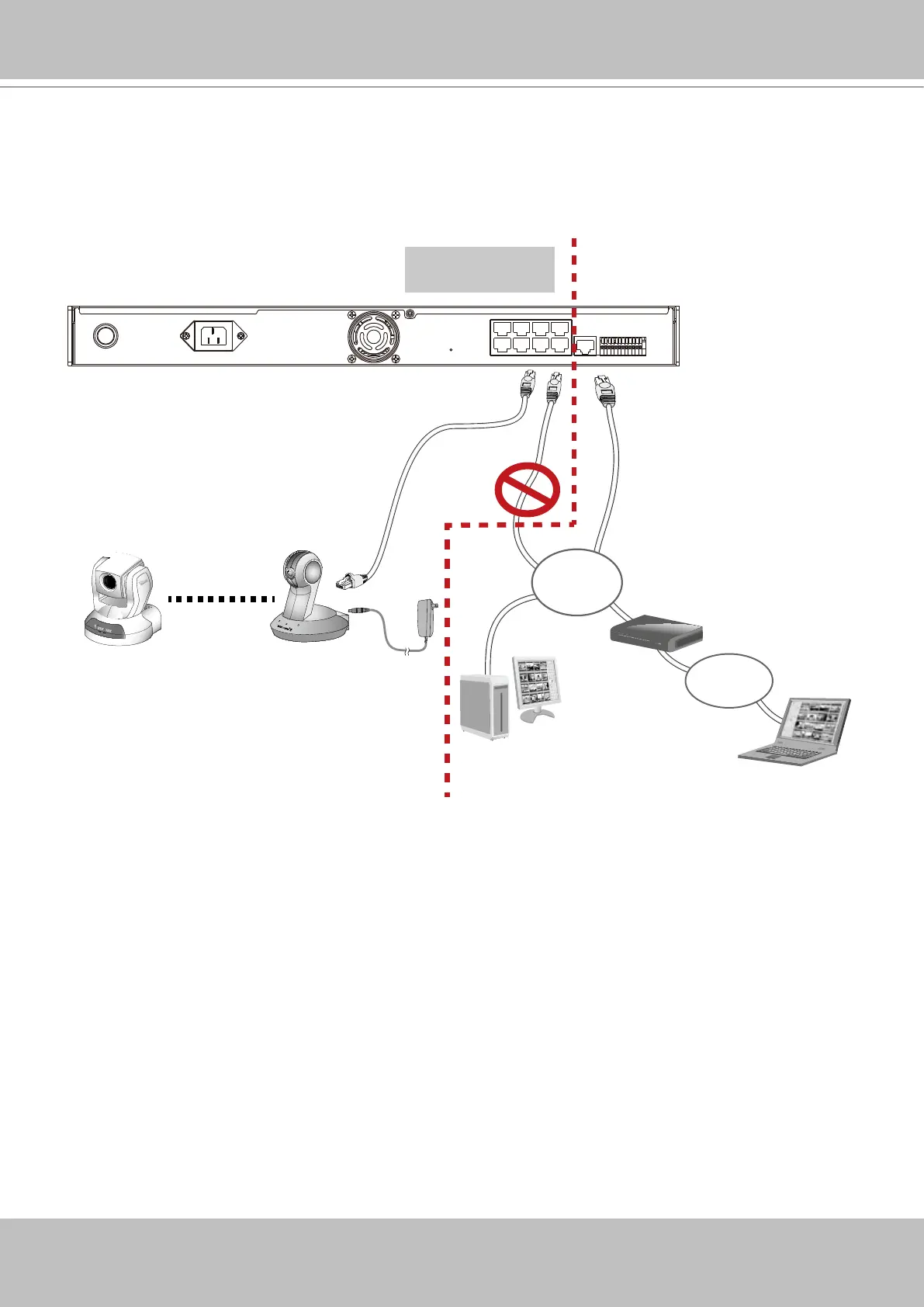
3. If you use a “LAN” port to connect a management PC and that PC resides on a DHCP-en-
abled subnet, conguration conicts will occur. Therefore, the “LAN“ ports should always be
used to connect PoE or non-PoE network cameras. The NVR will detect whether a camera is
PoE-compliant and will not supply power to a non-PoE camera.



 To Next Page