VIVOTEK - A Leading Provider of Multimedia Communication Solutions
38 - User's Manual
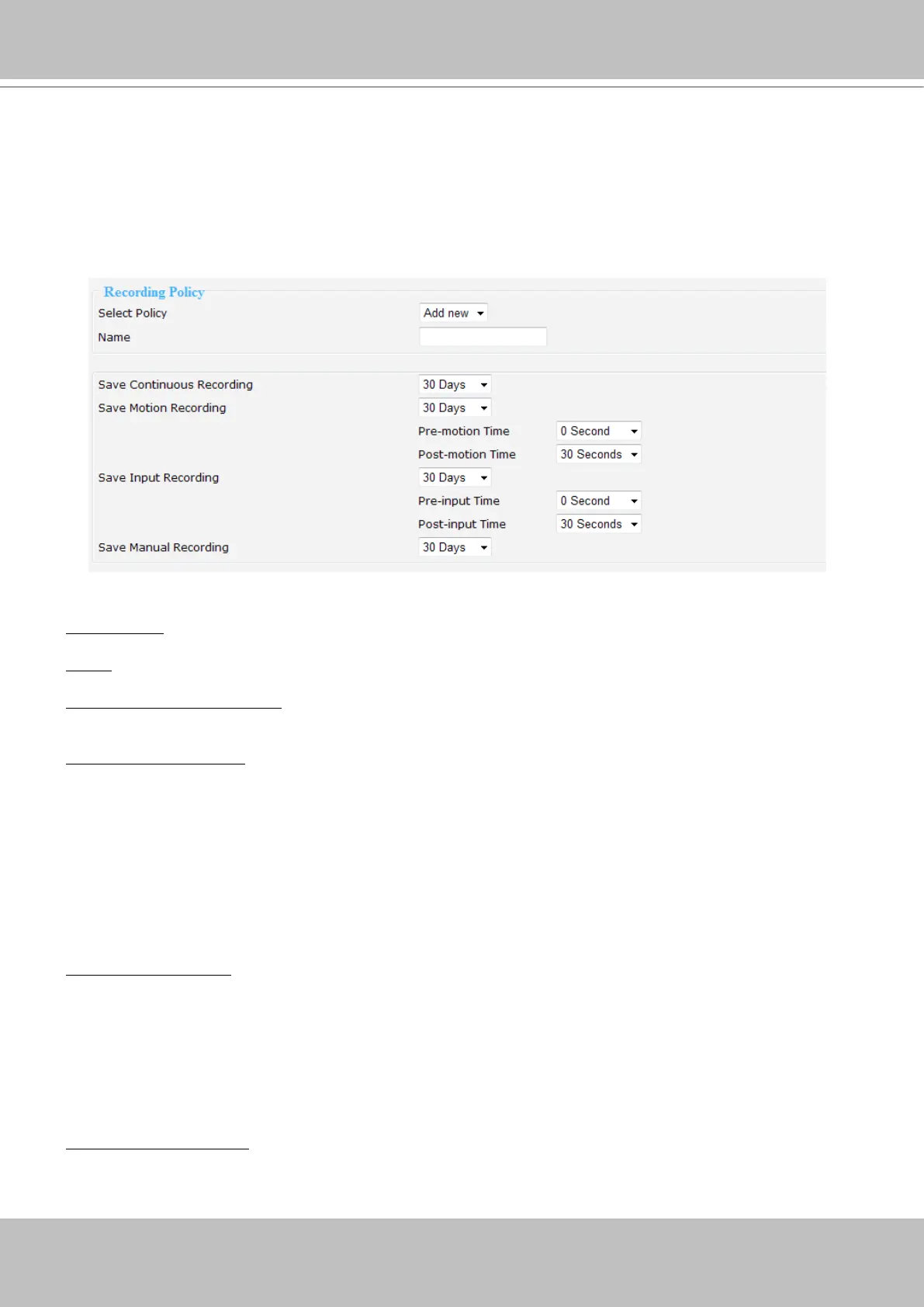
This page allows Administrator to add/modify a new Recording Policy and Recording Mode.
There are 4 types of Recording Policy for the user to congure properly.
■ Please congure the following items to add a new Recording Policy/Recording Mode:
Recording Policy
Select Policy: Select Add new.
Name: Enter a descriptive name for the new recording policy.
Save Continuous Recording:
Select an option of the time period (1 Hour, 1 Day, 1 Week, 2 Weeks, 30
Days, 90 Days, 180 days, or 365days) as the time of the continuous recorded videos.
Save Motion Recording:
Select an option of the time period
(1 Hour, 1 Day, 1 Week, 2 Weeks, 30 Days,
90 Days, 180 days, or 365days
) as the time of the motion-triggered recorded videos.
■
Pre-motion Time:
Select an option of the time period
(0 Seconds, 10 Seconds, 30 Seconds, 1 Minute,
or 5 Minutes) as pre-motion time. Pre-motion records the video in a pre-set time period before the event
and merges the recorded event into one combined video.
■
Post-motion Time:
Select an option of the time period
(30 Seconds, 1 Minute, or 5 Minutes) post-motion
time. Post-motion records the video in a post-set time period after the event and merges the recorded
event into one combined video.
Save Input Recording:
Select an option of the time period
(
1 Hour, 1 Day, 1 Week, 2 Weeks, 30 Days, 90
Days, 180 days, or 365days
) as the time of the input-triggered recorded videos.
■
Pre-input Time:
Select an option of the time period
(0 Seconds, 10 Seconds, 30 Seconds, 1 Minute, or
5 Minutes)as pre-input time.
■
Post-input Time:
Select an option of the time period
(30 Seconds, 1 Minute, or 5 Minutes) as post-input
time.
Save Manual Recording:
Select an option of the time period
(1 Hour, 1 Day, 1 Week, 2 Weeks, 30 Days,
90 Days, 180 days, or 365days
)
as the time of the manual recorded videos.



 To Next Page