VIVOTEK - A Leading Provider of Multimedia Communication Solutions
User's Manual - 39
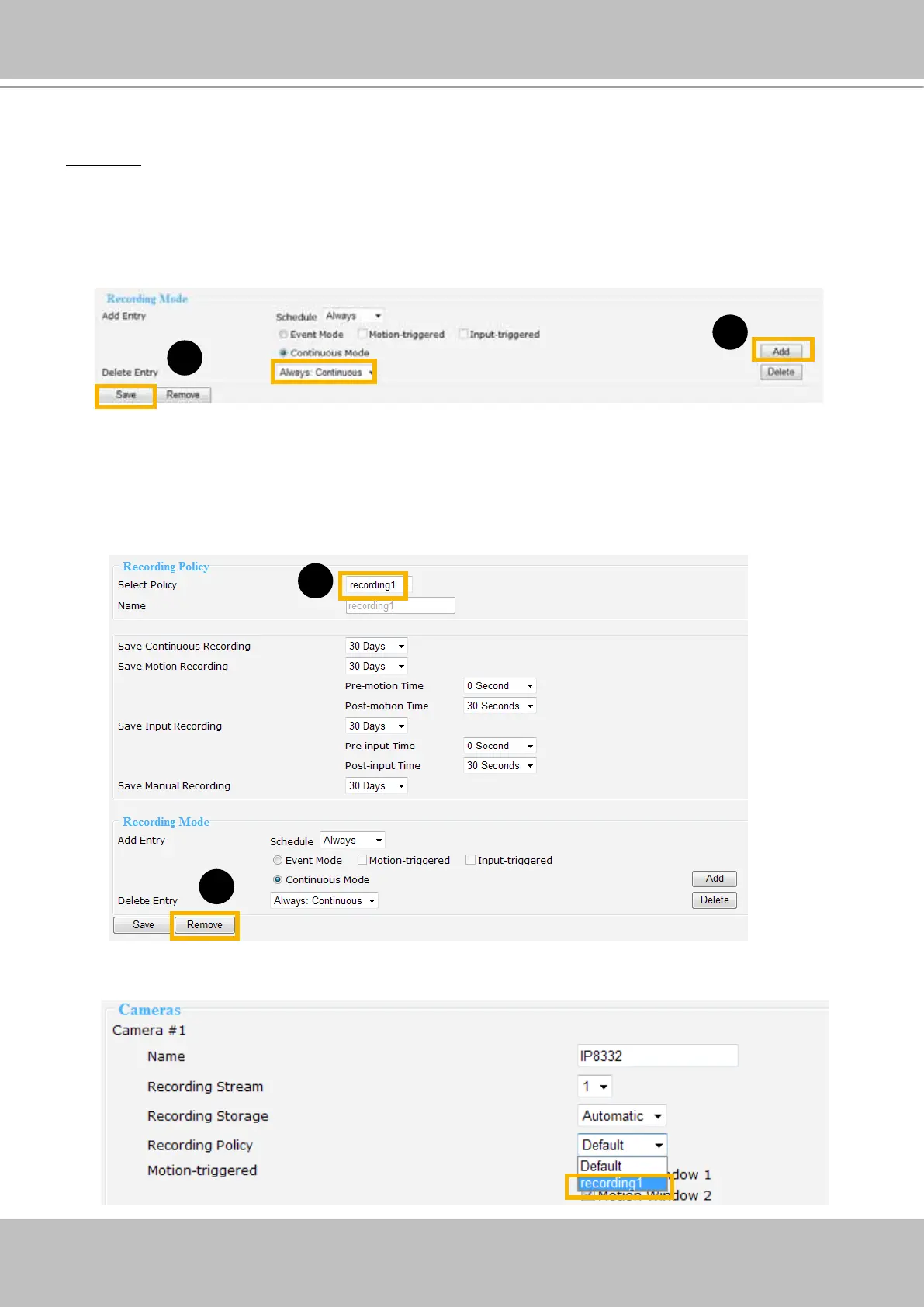
Click Add, the new recording mode will show up in the Delete Entry drop-down list. To delect a recording
mode, please select it in the Delete Entry drop-down list, and click Delete. When nished, click Save to
take effect.
If you wish to remove the recording policy, go to Recording policy section and select the given recording
policy rst. Then, click Remove. See below.
The new recording policy will show up on the device information as below. Click Device on the
left Menu. Then you can select Default or recording1 as your recording policy.
1
2
1
2
Recording Mode
Add Entry: Select the event mode or continuous mode to apply to the schedule as an entry.
■
Event Mode: Select to apply the motion-triggered type, input-triggered type or both types of the event
mode to the schedule.
■
Continuous Mode: Select to apply the continuous mode to the schedule.



 To Next Page