VIVOTEK - A Leading Provider of Multimedia Communication Solutions
38 - User's Manual
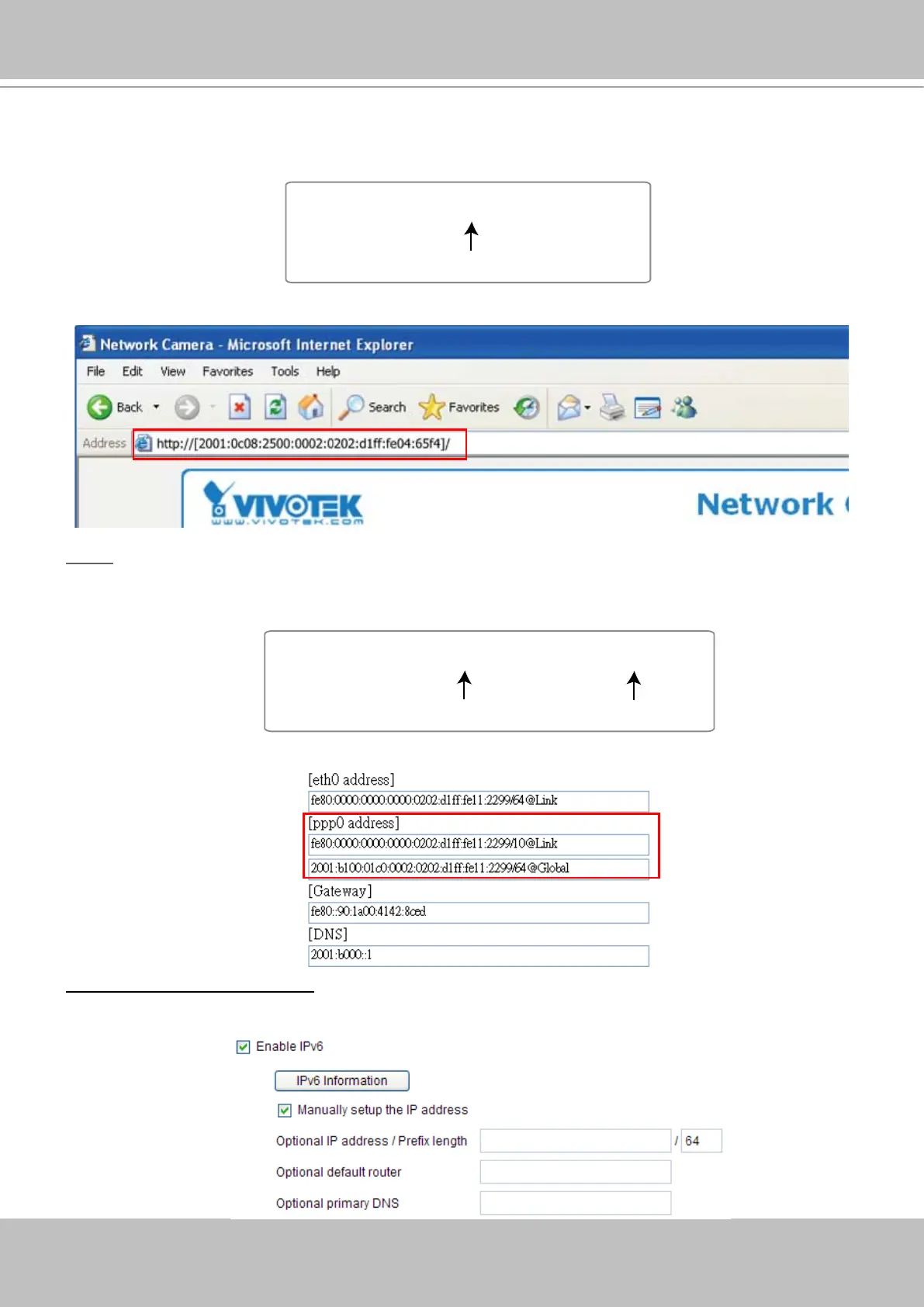
Please follow the steps below to link to IPv6 address:
1� Open your web browser�
2� Enter the link-global or link-local IPv6 address to the address bar of your web browser�
3� The format should be:
4� Press Enter on the keyboard or click Refresh button to refresh the webpage�
For example:
NOTE
► If you have the Secondary HTTP port (the default value is 8080), you can also link to the webpage in
the following address format: (Please refer to HTTP on page 39 for detailed information�)
► If you choose PPPoE as the Network Type, the [PPP0 address] will show up in the IPv6 information
column as below�
Manually setup the IP address: Select this option to manually setup IPv6 settings if your network
environment does not have DHCPv6 server and router advertisements enabled routers�
If you check this item, the following blanks will be displayed for you to enter corresponding information:
http://[2001:0c08:2500:0002:0202:d1ff:fe04:65f4]/
IPv6 address
http://[2001:0c08:2500:0002:0202:d1ff:fe04:65f4]/:8080
IPv6 address
Secondary HTTP port



 To Next Page