VIVOTEK - A Leading Provider of Multimedia Communication Solutions
User's Manual - 39
HTTP
Advanced mode
To utilize the HTTP authentication, make sure that your have set a password for the Network Camera
rst; please refer to Security on page 27 for details�
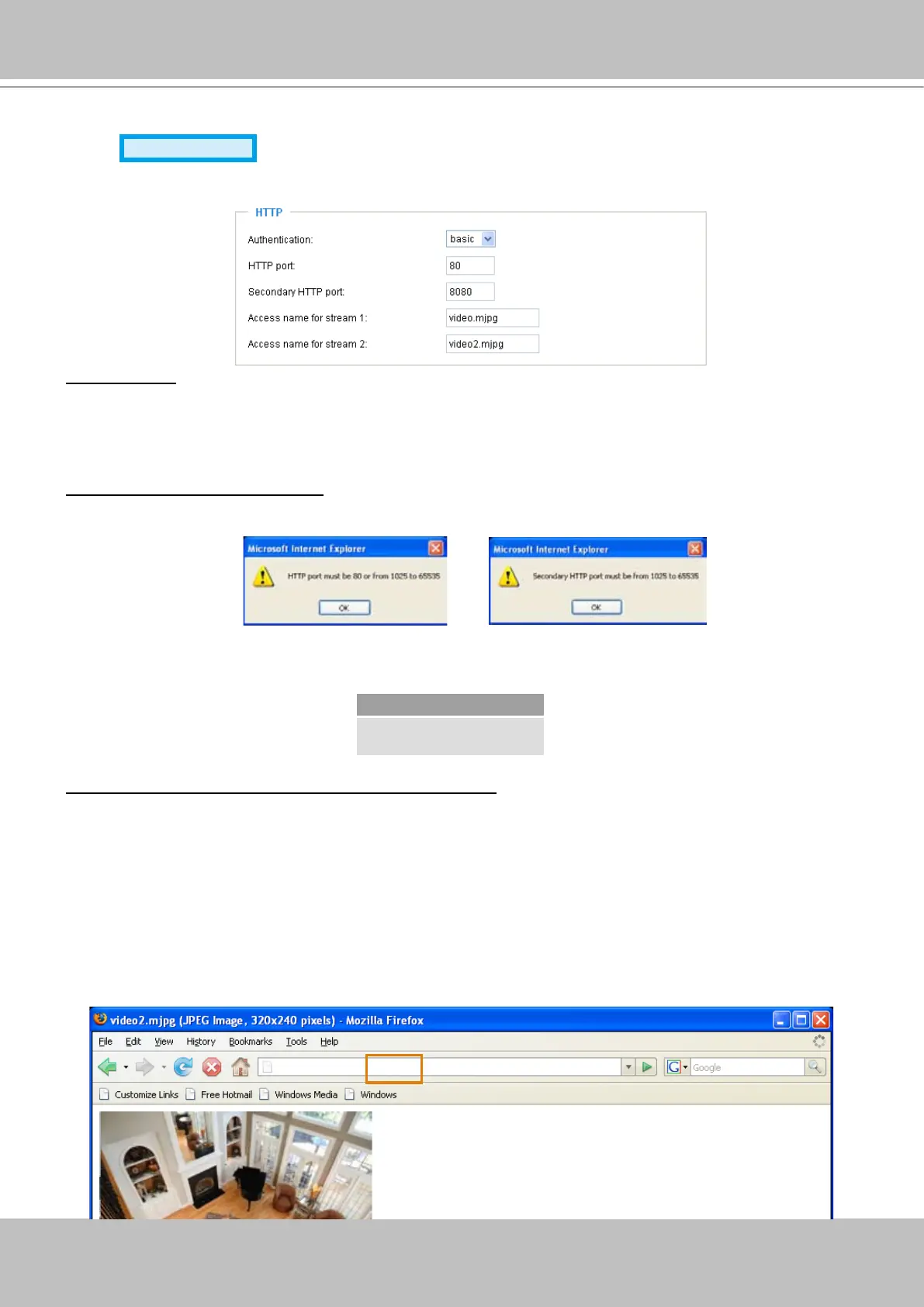
Authentication: Depending on your network security requirements, the Network Camera provides two
types of security settings for a HTTP transaction: basic and digest�
If basic authentication is selected, the password is sent in plain text format; there can be potential risks
of being intercepted� If digest authentication is selected, user credentials are encrypted in MD5 algorithm
and thus provide better protection against unauthorized accesses�
HTTP port / Secondary HTTP port: By default, the HTTP port is set to 80 and the secondary HTTP port is
set to 8080� Also, they can be assigned with another port number between 1025 and 65535� If the ports
are incorrectly assigned, the following warning messages will be displayed:
To access the Network Camera in LAN, both HTTP port and secondary HTTP port can be used to access
the Network Camera� For example, when the HTTP port is set to 80 and the secondary HTTP port is set
to 8080, refer to the list below for the Network Camera’s IP address�
Access name for stream 1 / Access name for stream 2: The access name is used to differentiate the
streaming source�
When using Mozilla Firefox or Netscape to access the Network Camera, and the video mode is set to
JPEG, users will receive continuous JPEG pictures� This technology, known as “server push”, allows the
Network Camera to feed live pictures to Mozilla Firefox and Netscape�
URL command -- http://<ip address>:<http port>/<access name for stream1 or stream2>
For example, when the Access name for stream 2 is set to video2�mjpg:
1� Launch Mozilla Firefox or Netscape�
2� Type the URL command in the address bar� Press Enter�
3� The JPEG images will be displayed in your web browser�
In LAN
http://192.168.4.160 or
http://192.168.4.160:8080
http://192.168.5.151/video2.mjpg



 To Next Page