12
5
E322MV
Scanning for Channels
Before the TV can detect and display channels and their associated information,
you must scan for channels. A channel scan may also be necessary when the
TV has been moved to an area where different free-to-air broadcast television
channels are available.
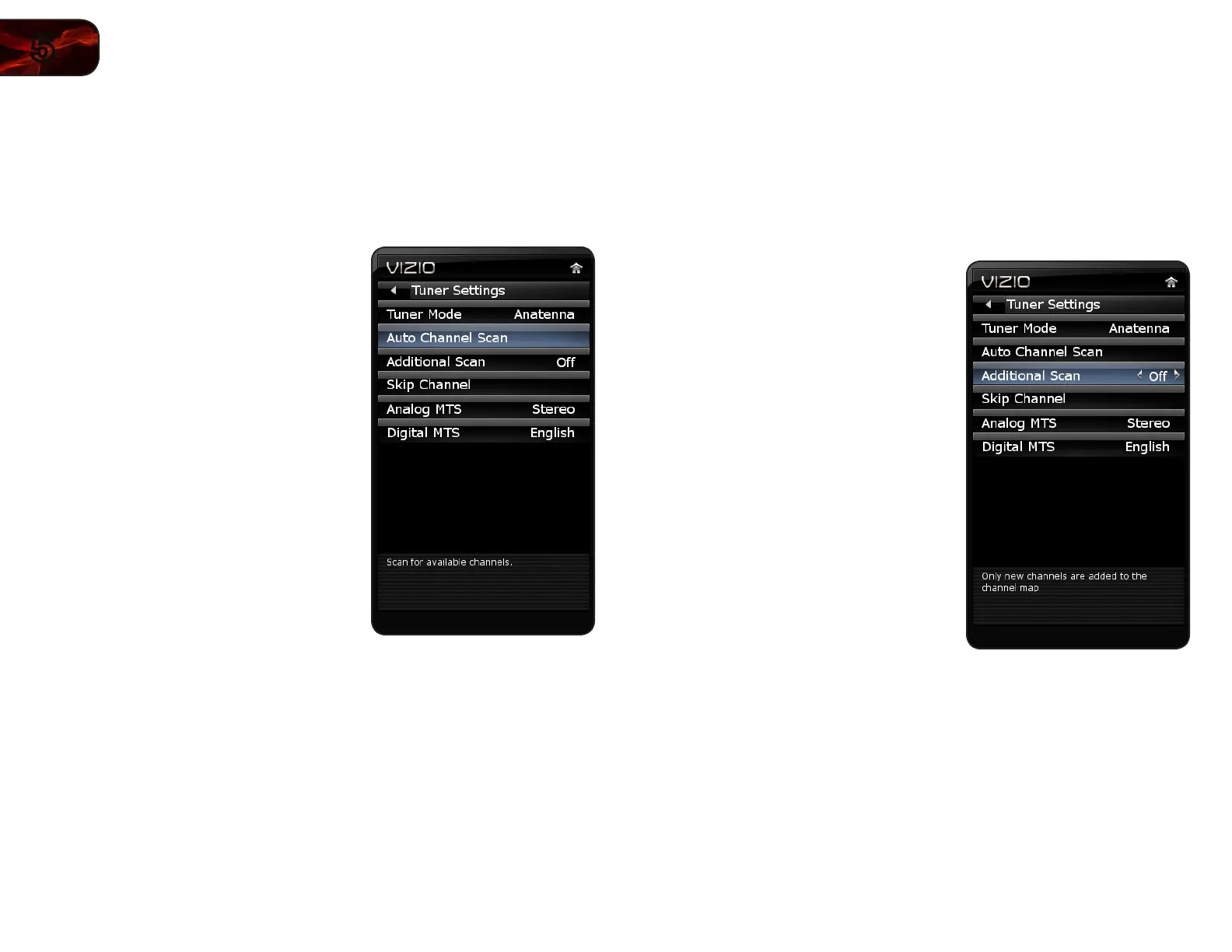
To scan for channels:
1. Press the MENU button on the remote.
The on-screen menu is displayed.
2. Use the Arrow buttons on the remote
to highlight the TV icon and press OK.
The TV Settings menu is displayed.
3. Use the Arrow buttons to highlight
Tuner Settings and press OK.
4. Use the Arrow buttons to highlight
Auto Channel Scan and press OK.
5. Use the Arrow buttons to highlight On
and press OK.
The channel scan begins.
6. Wait for the channel scan to reach
100%, then press EXIT.
Scanning for New or Additional Channels
When a new channel becomes available in your area, you do not have to rescan
all channels to add the new channel. Using the add channel feature, you can
restrict the scan to new channels only.
This is useful because your master channel list settings are preserved.
To scan for new channels:
1. Press the MENU button on the remote.
The on-screen menu is displayed.
2. Use the Arrow buttons on the remote
to highlight the TV icon and press OK.
The TV Settings menu is displayed.
3. Use the Arrow buttons to highlight
Tuner Settings and press OK.
4. Use the Arrow buttons to highlight
Additional Scan.
5. Use the Left/Right Arrow buttons to
change the option to On or Off.
6. Perform a channel scan.


 To Next Page