VIZIO VA220E User’s Manual
Version 12/12/2008 36
www.VIZIO.com
c.
H-SIZE – Adjust the overall width of the screen.
d.
V-SIZE – Adjust the overall height of the screen.
8.
Reset All Setting - The settings are reset to factory defaults. This does NOT reset the Parental
Control Password.
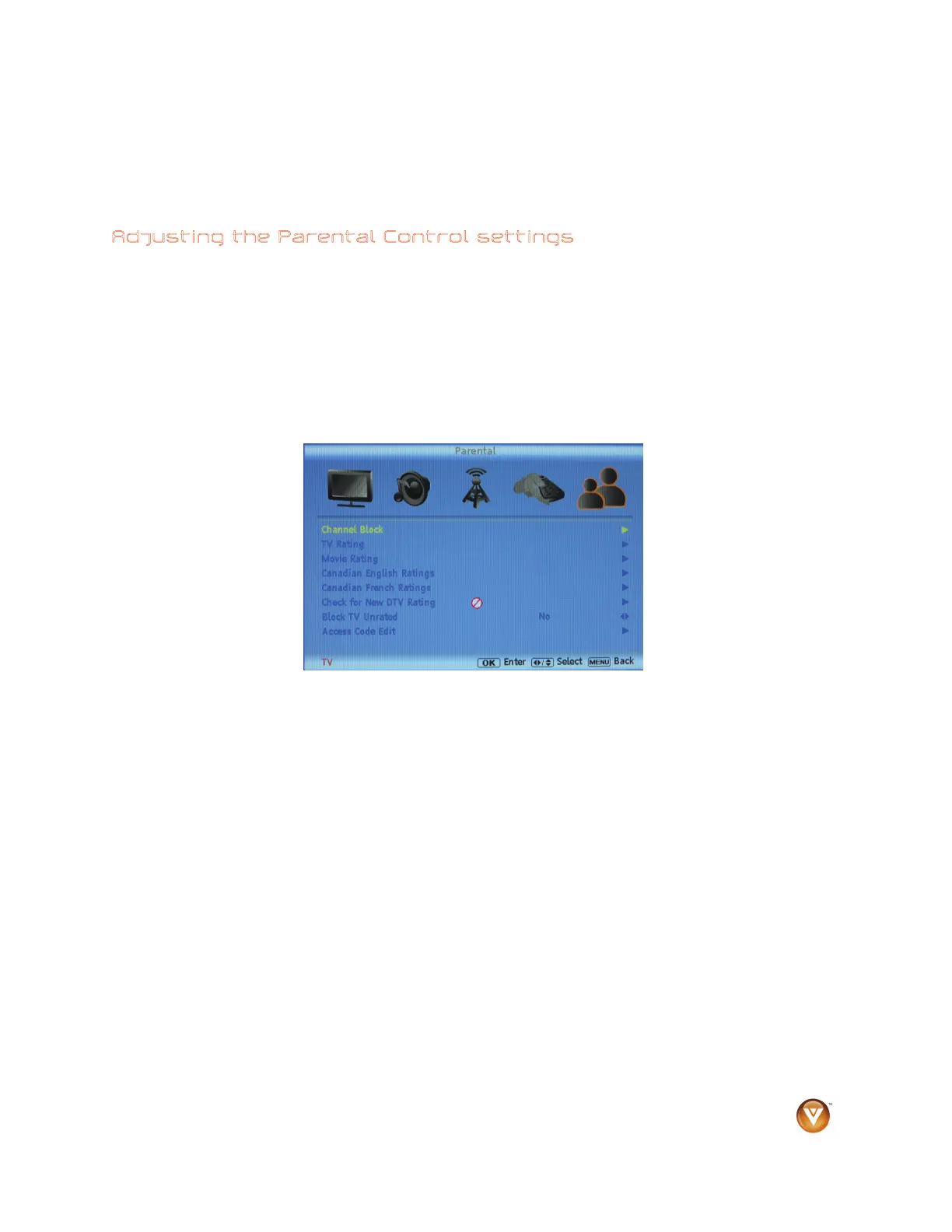
Adjusting the Parental Control settings
When viewing a DTV / TV or a component, or AV source, the following parental control OSD screens are
available within the Parental Control OSD menu. Parental Control options are not available when viewing
an HDMI source.
You can restrict certain channel and program viewing by turning on parental controls. Selected programs,
movies and channels can then be made available only after an authorized password has been entered.
The default password is 0000.
Press ◄ / ► / ▲ / ▼ to select and adjust options, then press OK when finished making adjustments.
Press MENU to return to the previous screen or repeatedly to exit the OSD.
1.
Channel Block - block individual channels.



 To Next Page