VIZIO VA220E User’s Manual
Version 12/12/2008 9
www.VIZIO.com
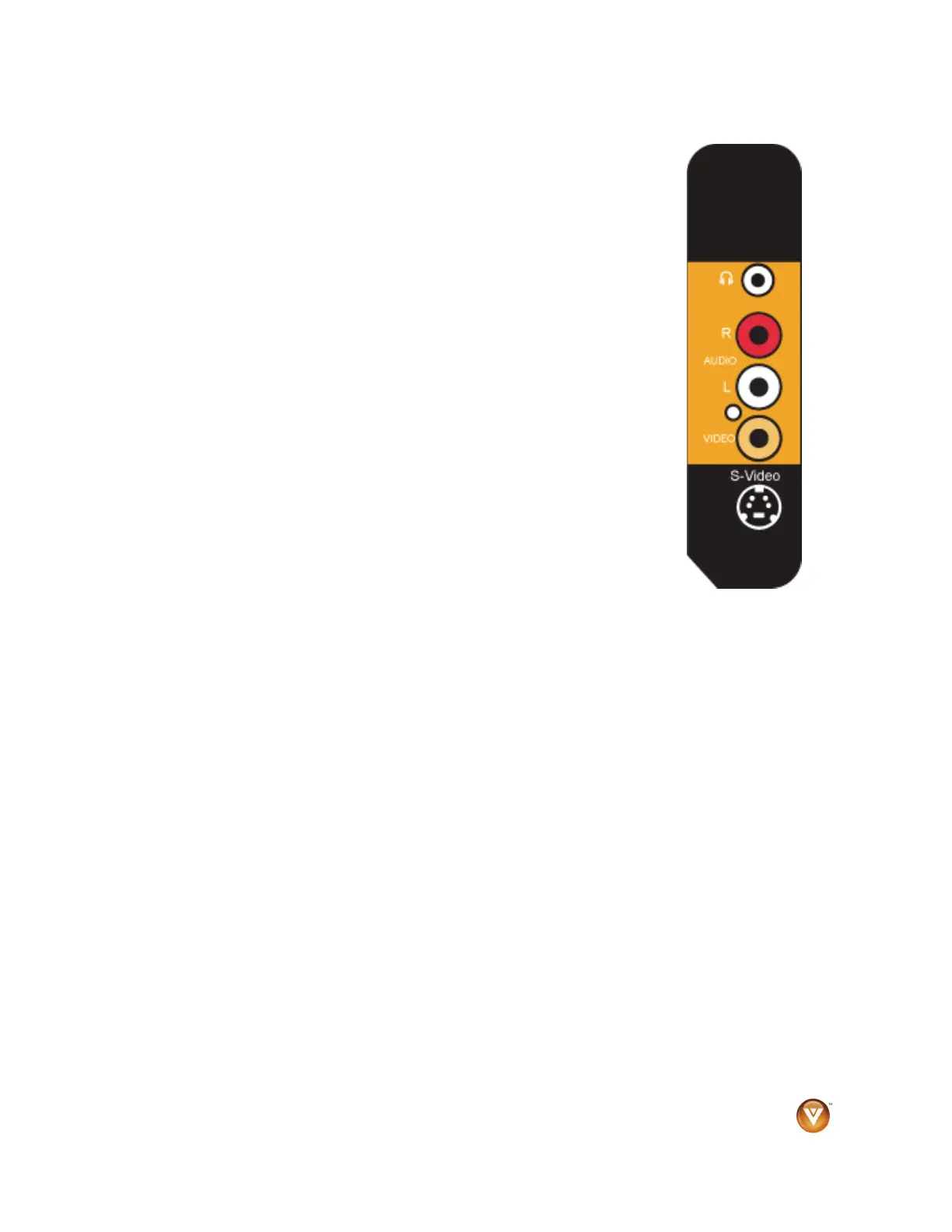
Left Side Panel Controls
Headphone
• Connect your headphones here.
Note: Connecting the headphones turns off the TV speakers off.
Audio R/L
• Connect external audio from a composite or S-Video device, such as a
VCR or video game.
Note: The red and white audio connectors are shared between VIDEO
and S-VIDEO.
VIDEO
• Connect video from a composite video device, such as a VCR or video
game. Use the white and red connectors to connect audio from the same
source.
S-Video
• Connect video from an S-Video device such as a VCR or video game.
Use the white and red connectors to connect audio from the same
source.



 To Next Page