24
Installing a Wireless Module
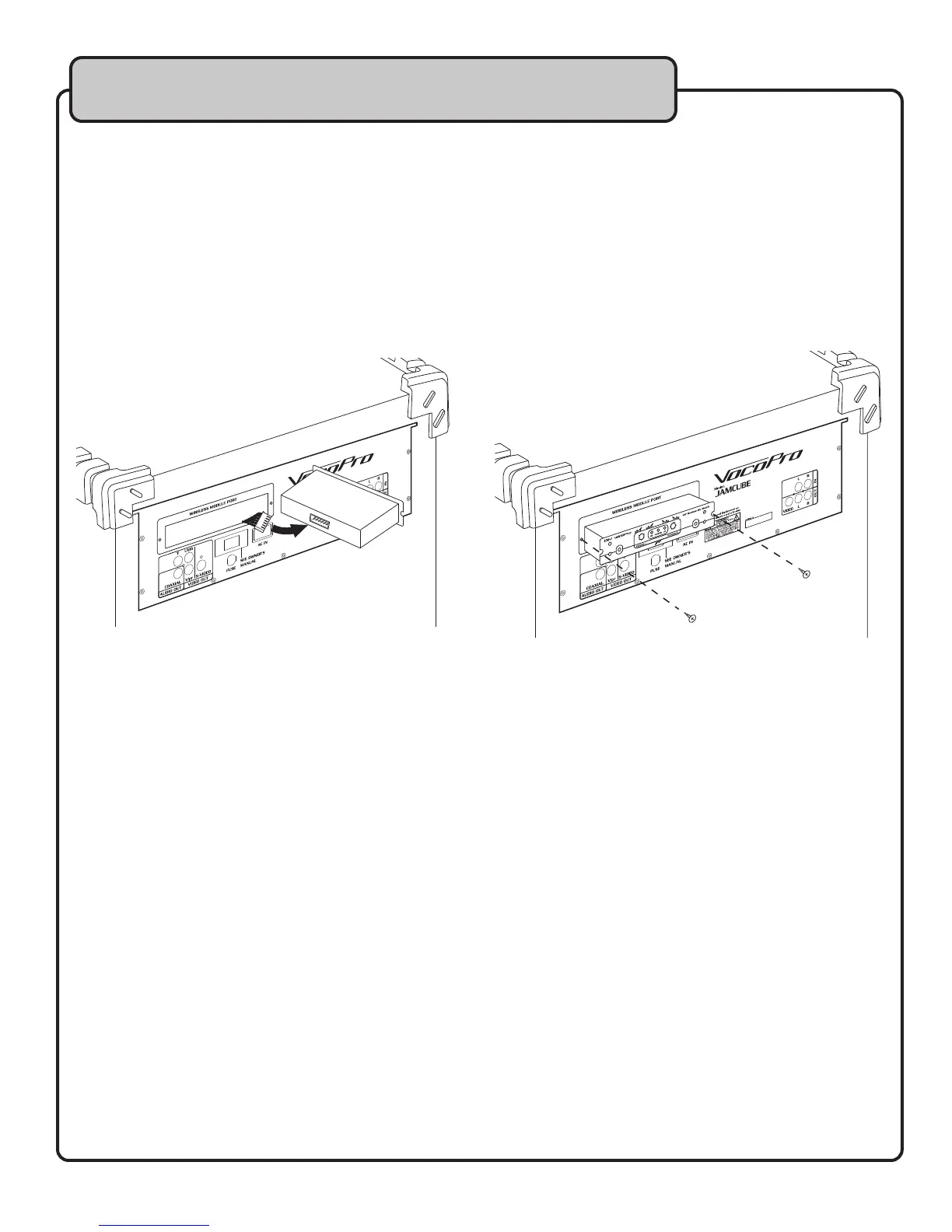
1. Turn OFF the JAMCUBE.
2. Remove the two screws that hold the slot cover in place.
3. Carefully detach the connector cable from the slot cover.
NOTE: Make sure the cable does not fall back into the unit. It may be necessary to temporarily
secure the cable to the unit with tape while there is no module in the slot.
4. Carefully connect the connector cable to the module. The cable plug is designed to fit only one
way, if it does not fit correctly, flip the plug over and try again.
5. Carefully slide the module into the slot.
6. Secure the module with the two screws.
Descriptions and Functions


 To Next Page