25
Descriptions and Functions
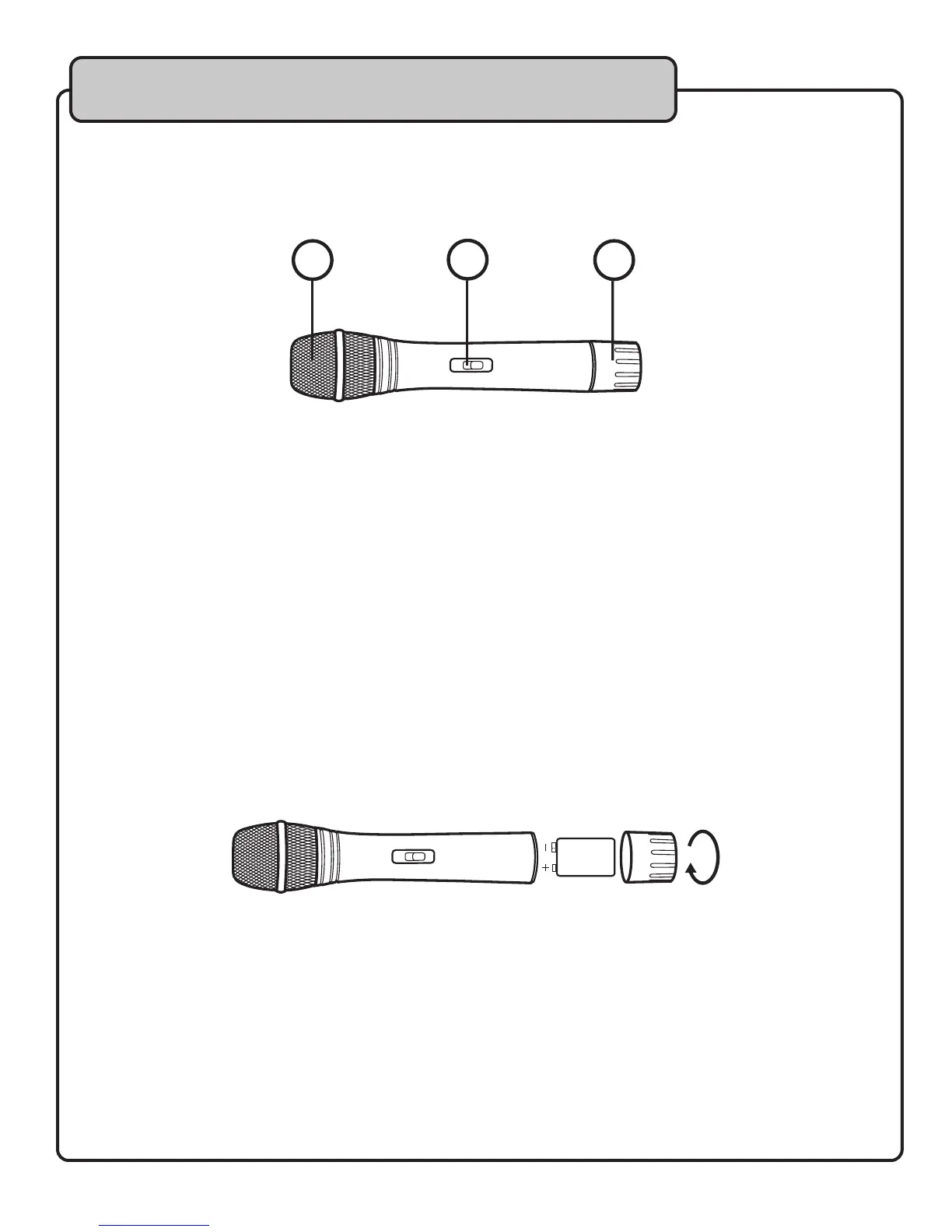
VM-1 Microphone (optional accessory)
1. GRILL - Protects the microphone cartridge and helps reduce breath sounds and wind noise.
2. POWER BUTTON - Used to turn the microphone ON/OFF or put it in STANDBY mode.
3. BATTERY CAP - Removable cap hides and protects the microphone battery.
Microphone Battery Installation
1. Unscrew the microphone battery compartment cap and insert the 9-volt alkaline battery. Be
sure to observe proper polarity (+/-).
2. Tighten the battery compartment lid.
1
3
2
9V


 To Next Page