17
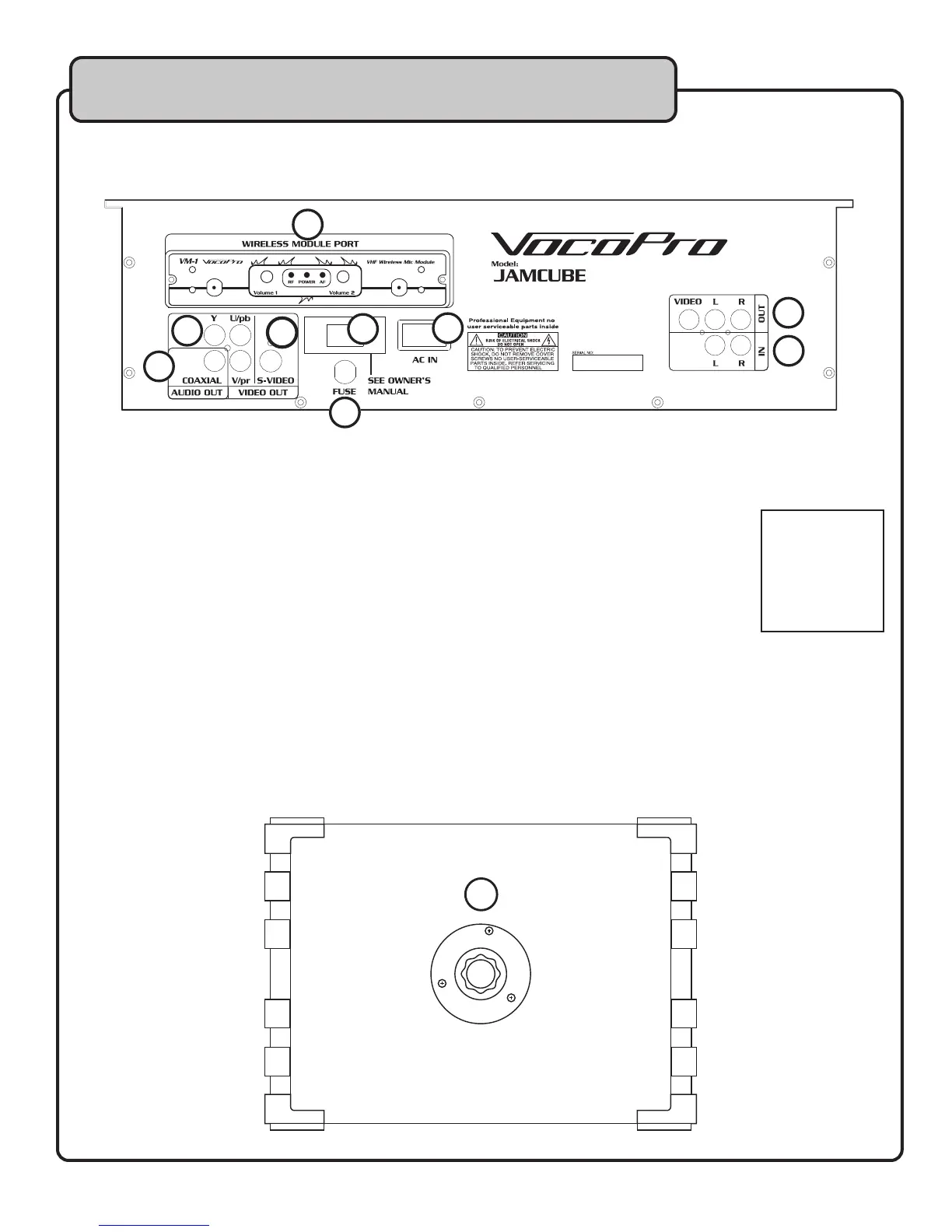
Descriptions and Functions
Rear Panel
1. WIRELESS MODULE PORT – If you have an VM-1 installed, or need to install the VM-1, refer to
pages 23-24 for details.
2. COMPONENT VIDEO OUTPUT (YPBPR) – Use this output to connect to a TV or monitor with
Component inputs (Y/Pb/Pr).
3. COAXIAL DIGITAL AUDIO OUTPUT – Use this audio output to connect to a digital receiver.
NOTE: Microphone audio will not be present in this output.
4. S-VIDEO OUT – Use this video output to connect to a TV or monitor with an S-Video input.
5. RCA A/V OUTPUT - Use this output to connect to additional TVs, monitors, recorders, or other
devices.
6. RCA AUDIO INPUT - Use this input to connect an external audio player.
7. AC VOLTAGE SELECTOR SWITCH - Use this switch to select the proper voltage for your area.
U.S. – 115V
EUROPE – 230V
8. FUSE COVER – Remove to access the fuse.
NOTE: Replace only with type of fuse listed on back panel.
9. AC POWER INPUT – Connect the power cable here.
10. SPEAKER MOUNT - Use this to mount the JAMCUBE on a speaker stand with a 1 3/8” diameter
shaft.
1
3
2
4
5
7
6
8
9
BOTTOM OF JAMCUBE
10
See getting
connected
section for more
information
on connecting
devices.


 To Next Page