30
System Startup Menu
1. OSD LANGUAGE
This sets on screen display language for the setup menu, playback status and remote functions. Choose from
the list of languages provided.
2. AUDIO LANGUAGE
This sets the default audio language when playing DVDs. This setting is not functional for all DVDs, results
may vary. Choose from the list provided.
3. SUBTITLE LANGUAGE
This sets the default subtitle language when playing DVDs. Choose from the list provided.
NOTE: Available DVD subtitle languages may vary.
4. MENU LANGUAGE
This sets the default main menu language when playing DVDs. Choose from the list provided.
NOTE: Available DVD menu languages may vary.
1. AUDIO OUT
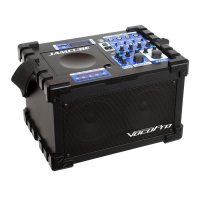
When connecting the JAMCUBE to an external sound system with digital inputs, choose between:
SPDIF/OFF to disable digital audio output
SPDIF/RAW for Dobly 5.1
SPDIF/PCM for digital 2-CH output
2. KEY CONTROL
This feature functions exactly the same as the KEY CONTROL buttons on the remote control, but with a
vertical “fader” instead of a left-right display. Use the DIRECTION keys to locate the fader bar, raise (#/sharp)
or lower (b/flat) the output of the disc in half-step increments.
1. BRIGHTNESS
This setting will make the on screen image lighter or darker.
2. CONTRAST
This setting will make light colors lighter and dark colors darker.
3. HUE
This setting will change the color tint of the on screen image.
4. SATURATION
This setting will increase or decrease the amount of color in the on screen image.
1. DOWNMIX
LT/RT - Select this option when playing a multiplexed format disc.
STEREO - Select for a standard stereo output.


 To Next Page