50
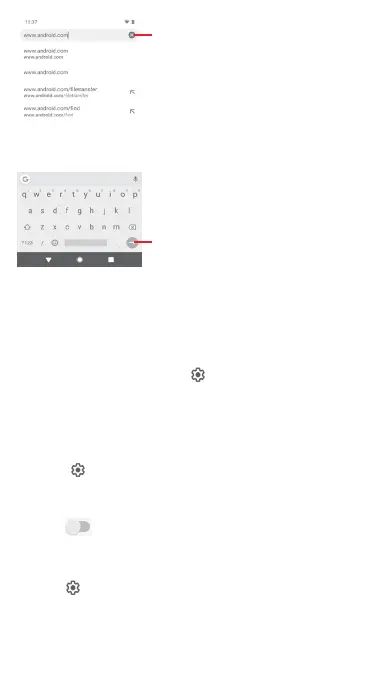
Touch to delete all contents
Touch to search or go to a web page
address
6.3 Connecting to Bluetooth devices
Bluetooth is a short-range wireless communication technology
that you can use to exchange data, or connect to other Bluetooth
devices for various uses.
To access this function, touch on the Quick settings bar to
get to Settings, then touch Connected devices > Connection
preferences > Bluetooth. Your device and other available ones
will show on the screen.
To turn on Bluetooth
1 Touch on the Quick settings bar to get to Settings,
then touch Connected devices > Connection preferences >
Bluetooth.
2 Touch turn Bluetooth on or off.
To make your phone more recognisable, you can give your phone
a new name which will be visible to others.
1 Touch on the Quick settings bar to get to Settings.
2 Touch Connected devices > Connection preferences >
Bluetooth.



 To Next Page