56
8 Multimedia applications
8.1 Camera
Your mobile phone is fitted with a Camera for taking photos and
shooting videos.
Before using the Camera, be sure to remove the protective lens
cover before use to avoid it affecting your picture quality.
To take a photo when your phone is active, touch the Camera
icon in the Favourites tray on your Home screen.
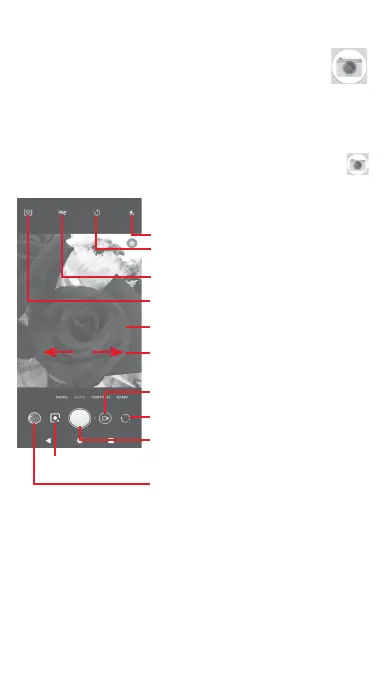
Touch to take a picture
Touch to turn on HDR (high-dynamic
range) function
Swipe the screen to select
different modes
Pinch/Spread to zoom in/out
Touch to select picture format
Touch to view pictures or videos
you have taken
Touch to switch between front/
back camera
Touch to turn on flash
Touch to turn on Timer
Touch to shoot a video
Touch to enter Google Lens



 To Next Page