6
• Mute the ringtone of an incoming call.
Power key
• Press and hold: Power on/Power off.
• Press: activate the lock screen/wake up the screen.
• Long press: show the pop-up menu to select from
Power off, Restart, Screenshot, Flight mode.
• Long press the Power key and the Volume down key
to capture a screenshot.
1.2 Getting started
1.2.1 Setup
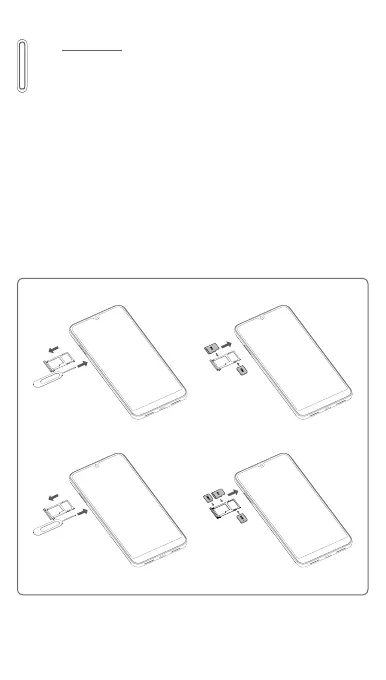
Inserting or removing the SIM card or microSD card
You must insert your SIM card to make phone calls.
For Single SIM
For Dual SIM
* optional
*
*



 To Next Page